 Budget Analyzer Pro
See exactly where
your money goes.
Drop in your bank and credit-card statements. Budget Analyzer Pro sorts every transaction, finds your bills and subscriptions, and plans your retirement, taxes and debt payoff. Your data never leaves your computer.
One-time purchase · Windows, Linux and web app · iPhone and Android coming soon · Works offline
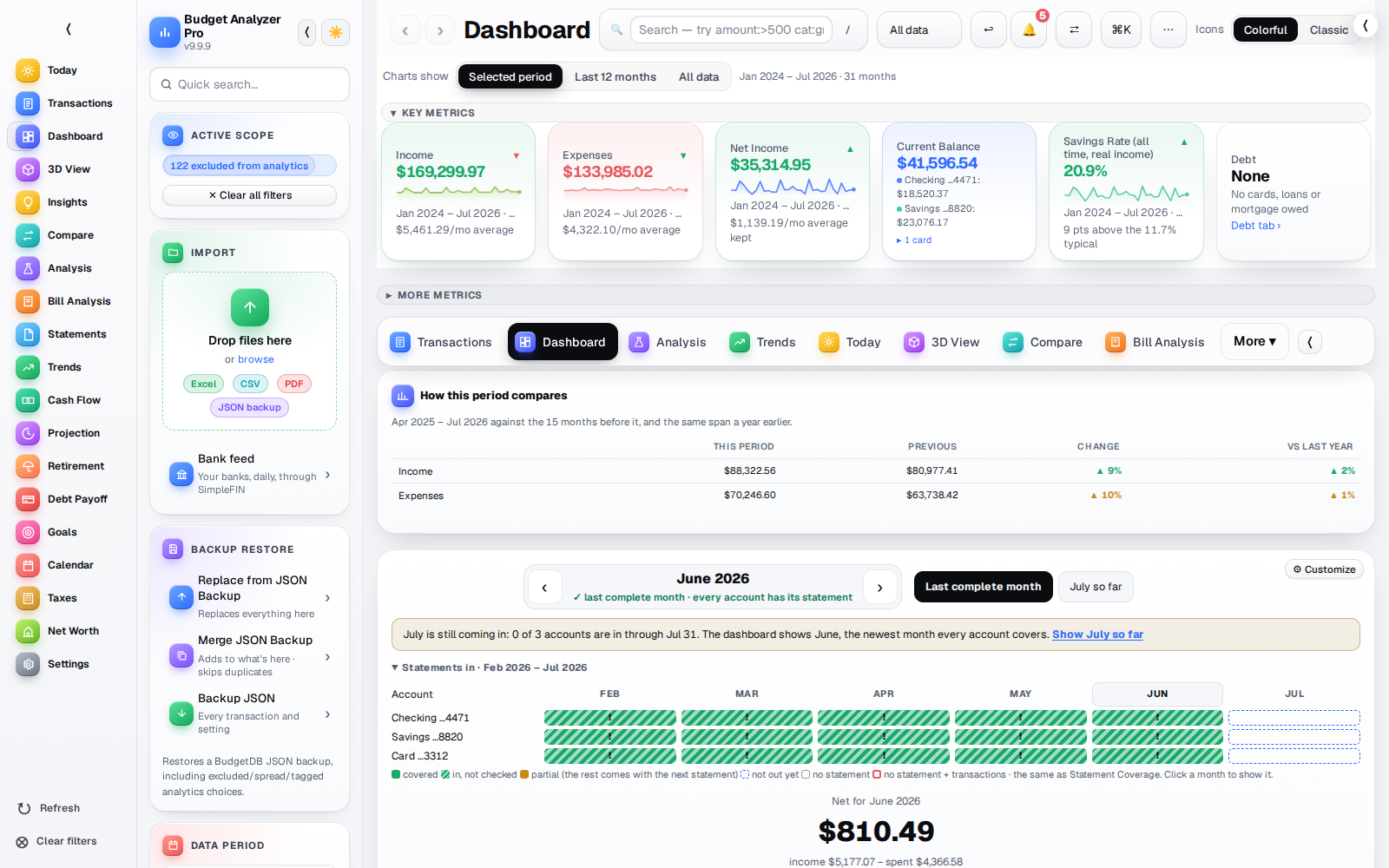
Your whole financial picture, from the statements you already have
Your bank password never goes into the app, and there's no monthly subscription. Bring the files your bank already gives you, or connect an optional read-only bank feed, and get answers in minutes.
Import anything
CSV and Excel downloads and PDF statements from your bank or credit card. Duplicates are caught, and statements are checked against their printed totals.
Auto-categorized
Every transaction is sorted into a category automatically. Fix one and the app learns the rule for next time.
Bills & subscriptions
Recurring bills and subscriptions are found for you, along with price hikes, duplicate charges and unusual activity.
Deep analysis
Dashboards, trends, month-vs-month comparisons, a cash-flow calendar and a plain-English “This Month's Story”.
Plan ahead
Retirement readiness, Social Security, Roth conversions, net-worth projections, savings goals and income-shock stress tests.
Private by design
Everything is computed on your device. There's no server and no account. Your data is saved locally and backs up to a single file.
From statement to insight in under a minute
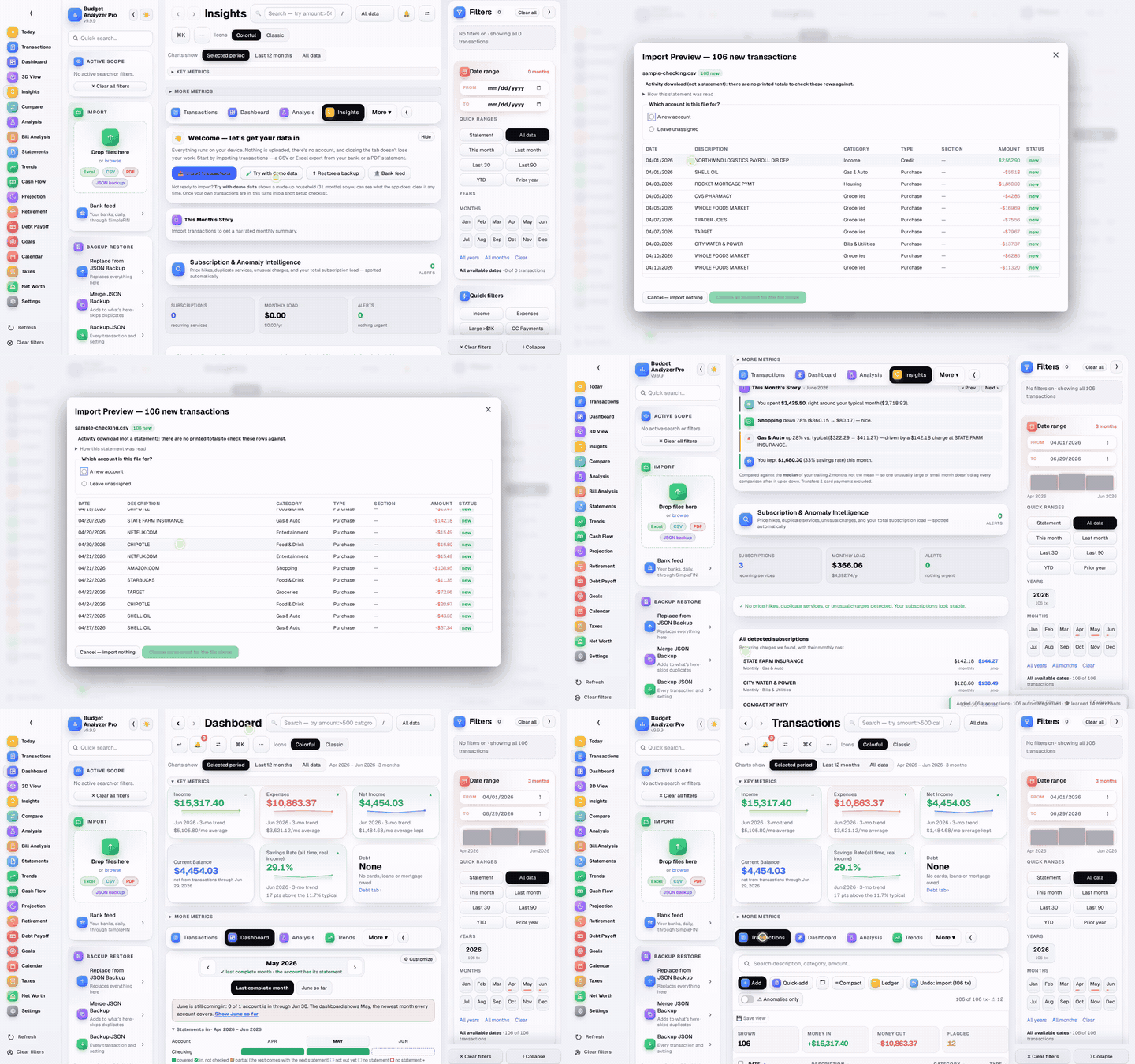
1 · Import your statements
Drag a CSV, Excel or PDF file onto the app. You'll see a preview of every row, with its category and type, before anything is saved.
- Preview first. Nothing is saved until you confirm the import.
- No duplicates. Rows you've already imported are skipped automatically.
- Statement check. PDF statements are checked against their printed totals.
- Any bank. A PDF from a bank it doesn't know? Teach it once and it's recognized from then on. See how it learns →
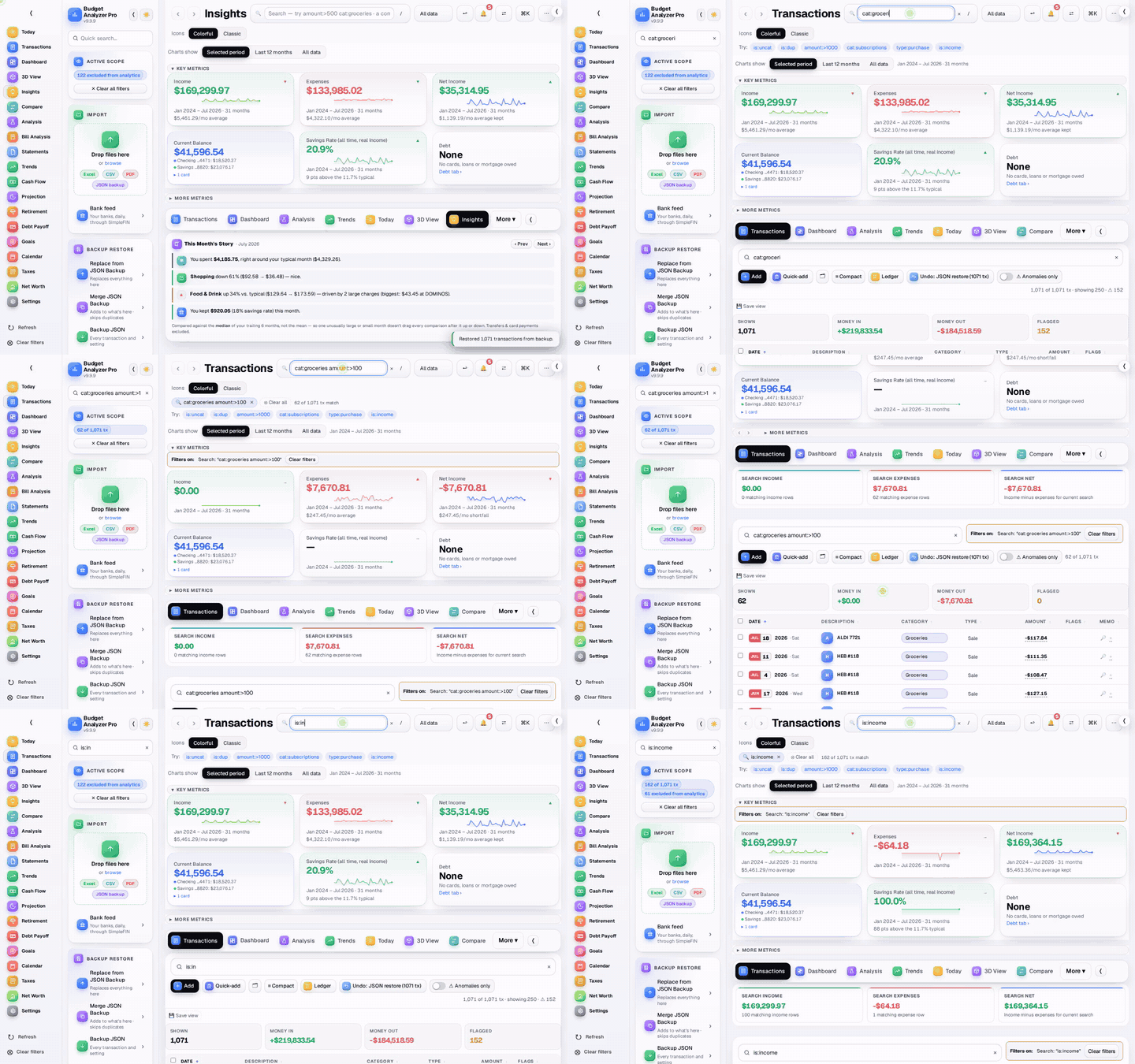
2 · Find anything instantly
Use the search bar for simple text or for precise queries like cat:groceries amount:>100, is:income or is:dup. Every chart and total updates to match.
- Smart filters by date, account, category, type and amount
- Saved views for the searches you run every month
- Export to CSV, Excel or PDF
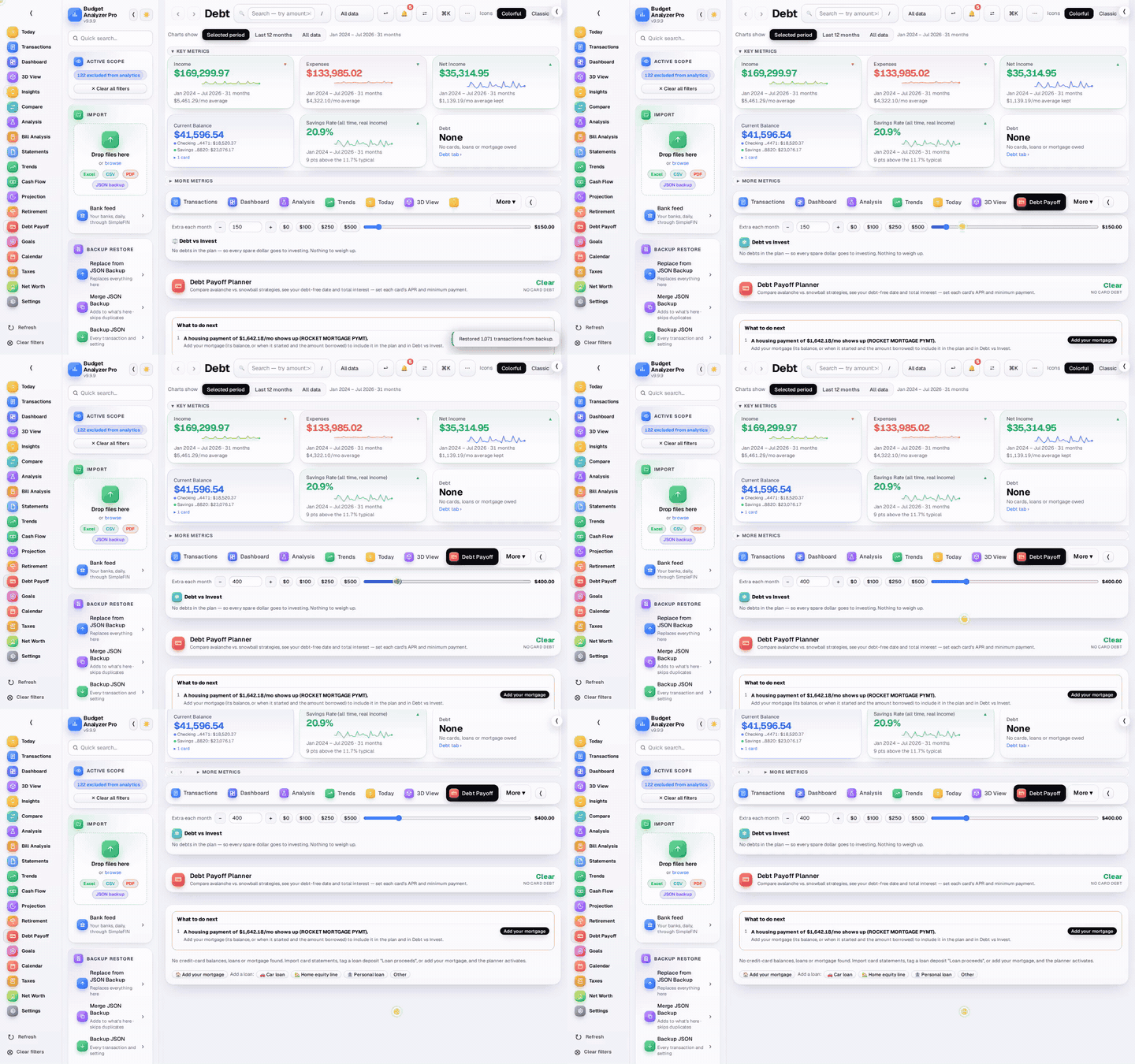
3 · Crush your debt faster
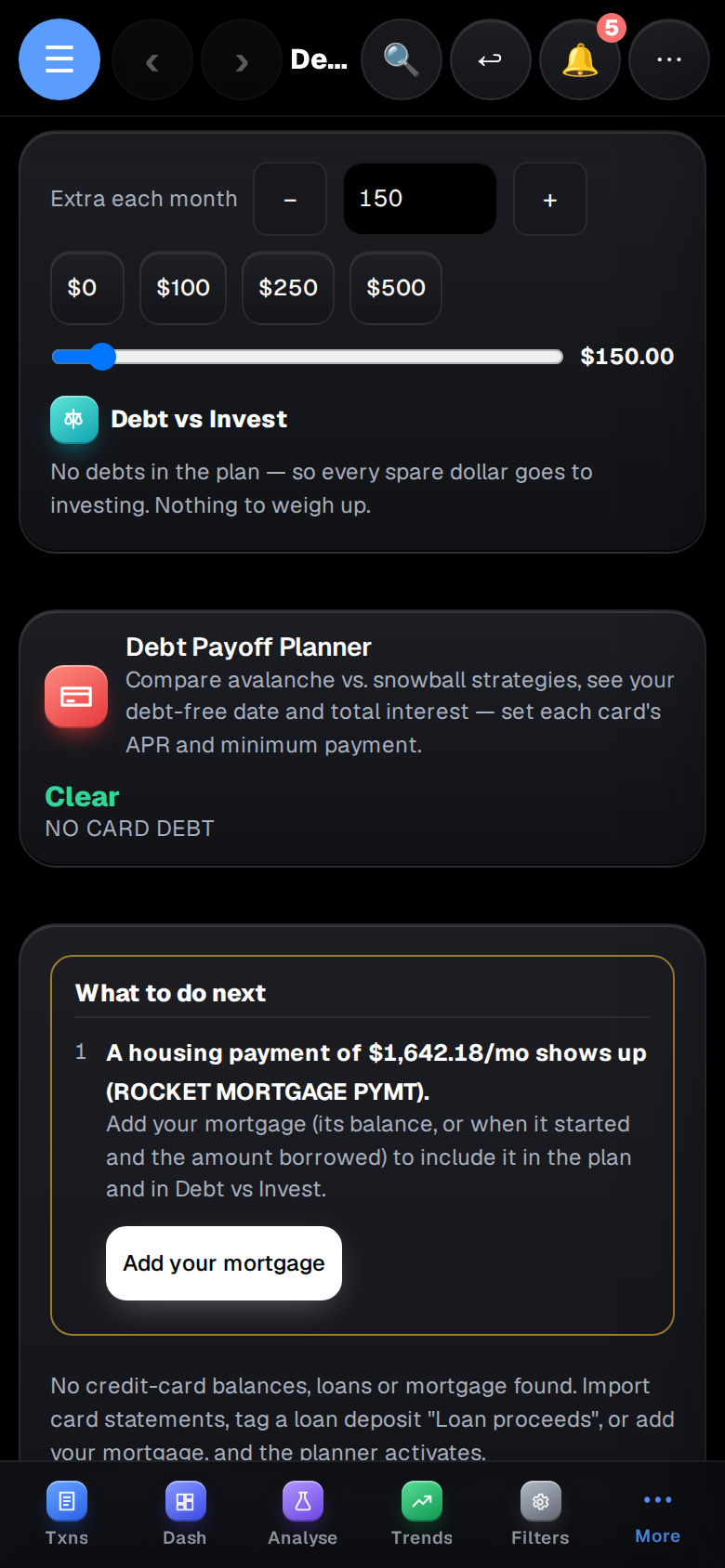
Drag the extra-payment slider and watch your debt-free date and total interest change. Compare avalanche, snowball and minimum-only plans side by side.
- Debt vs. invest: see which use of your spare cash leaves you better off
- Mortgage & refinance calculator with amortisation
4 · Plan your retirement
Project your net worth 15+ years ahead under conservative, expected and aggressive returns. Check whether you're on track to retire, and when.
- Retirement readiness, 401(k) and IRA tracking
- Social Security estimate and claiming age
- Roth conversion window and withdrawal strategy with RMDs
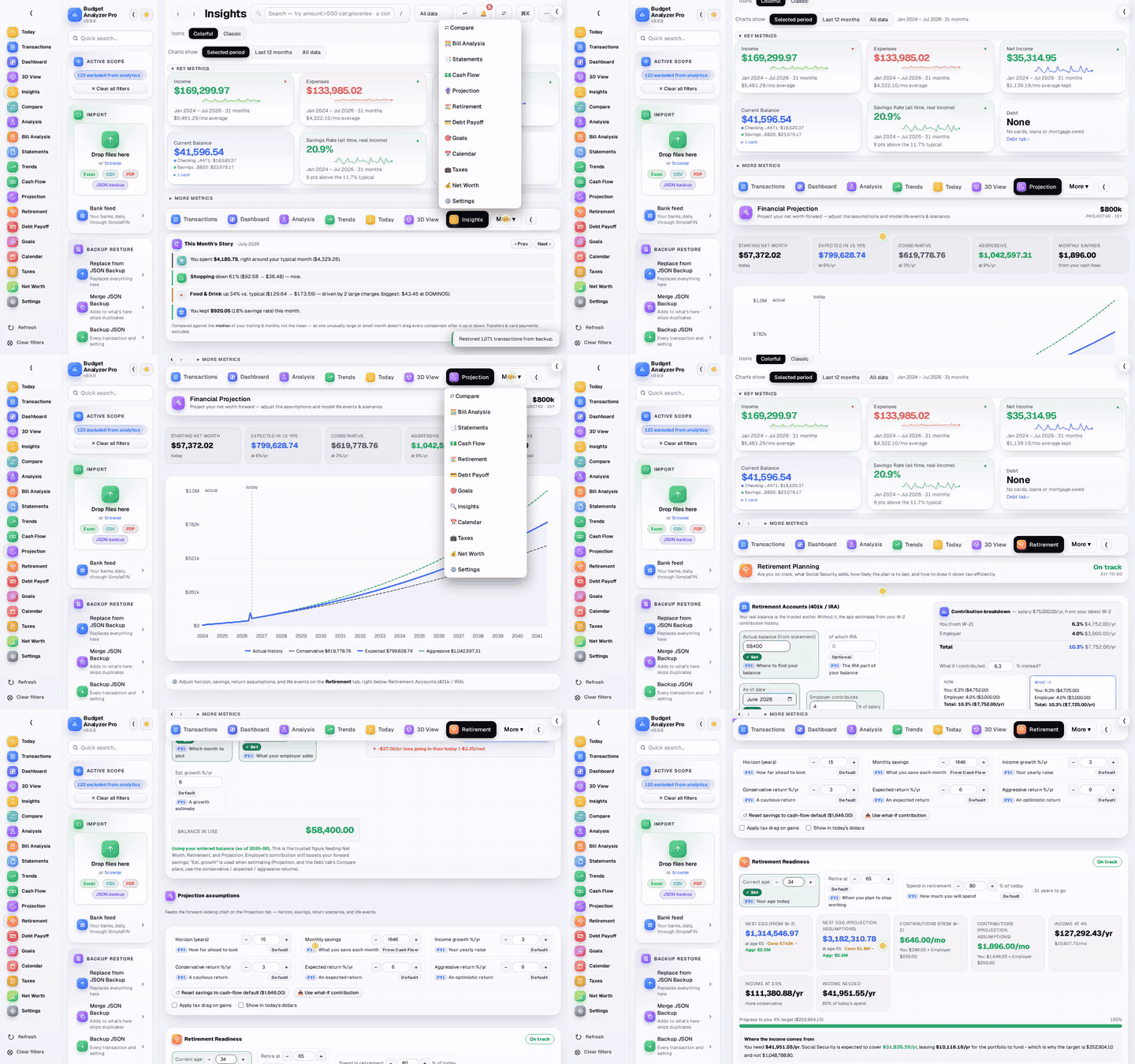
5 · Works with any bank
A PDF statement from a bank the app hasn't seen before? Point at its date, amount, balances and totals once. It takes about two minutes, and every statement from that bank after that is recognized.
- Proven first: a layout is saved only if it adds up to the statement's own printed totals
- Private: it remembers the layout, never your amounts, names or account numbers
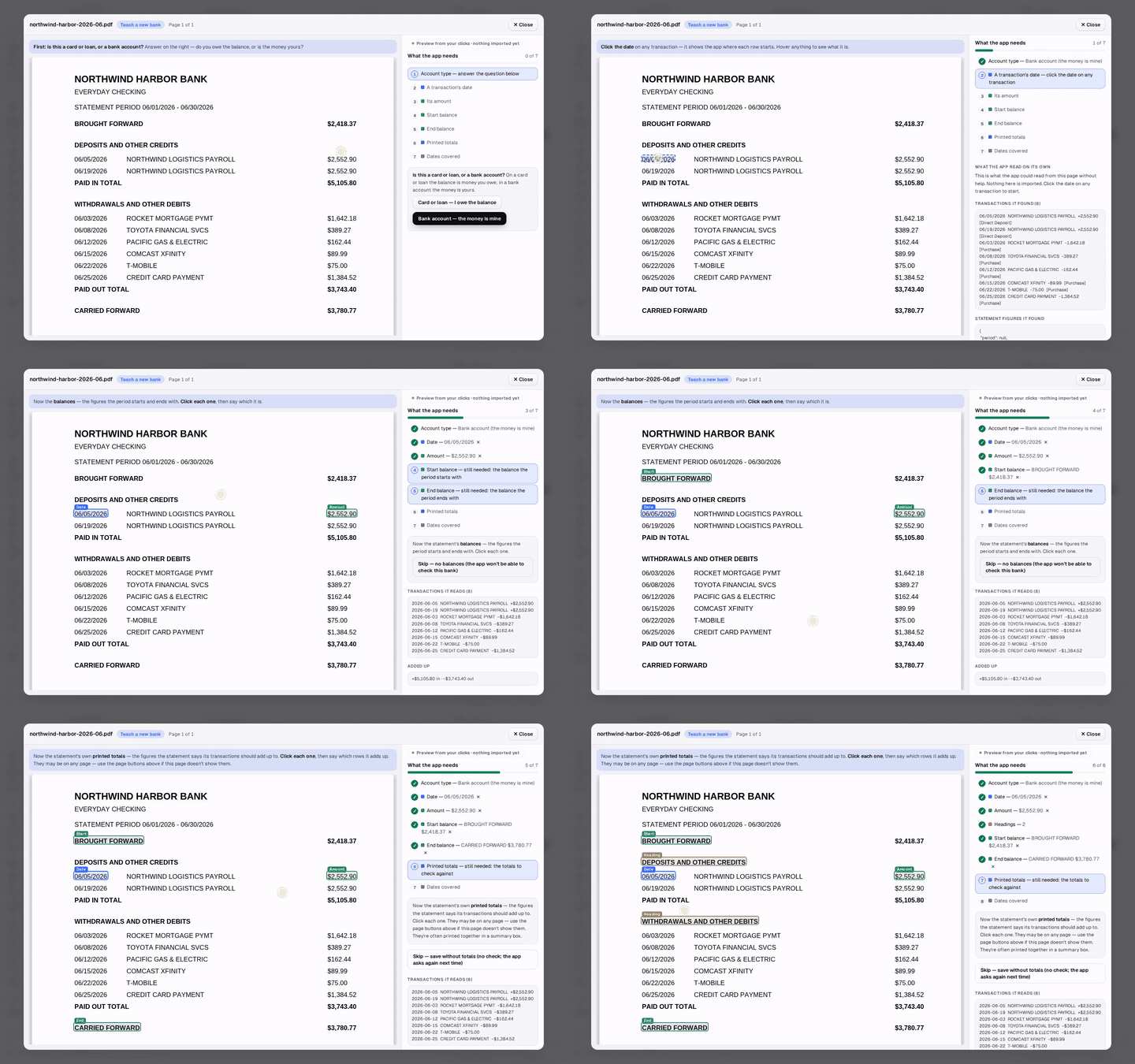
6 · Read your month in plain English
This Month's Story tells you what happened with your money: what you spent against a typical month, what jumped or dropped and why, and how much you kept. Step back with ‹ Prev to read any month.
- Names the cause of every big change, down to the charge
- Compares fairly against the median of your last 6 months
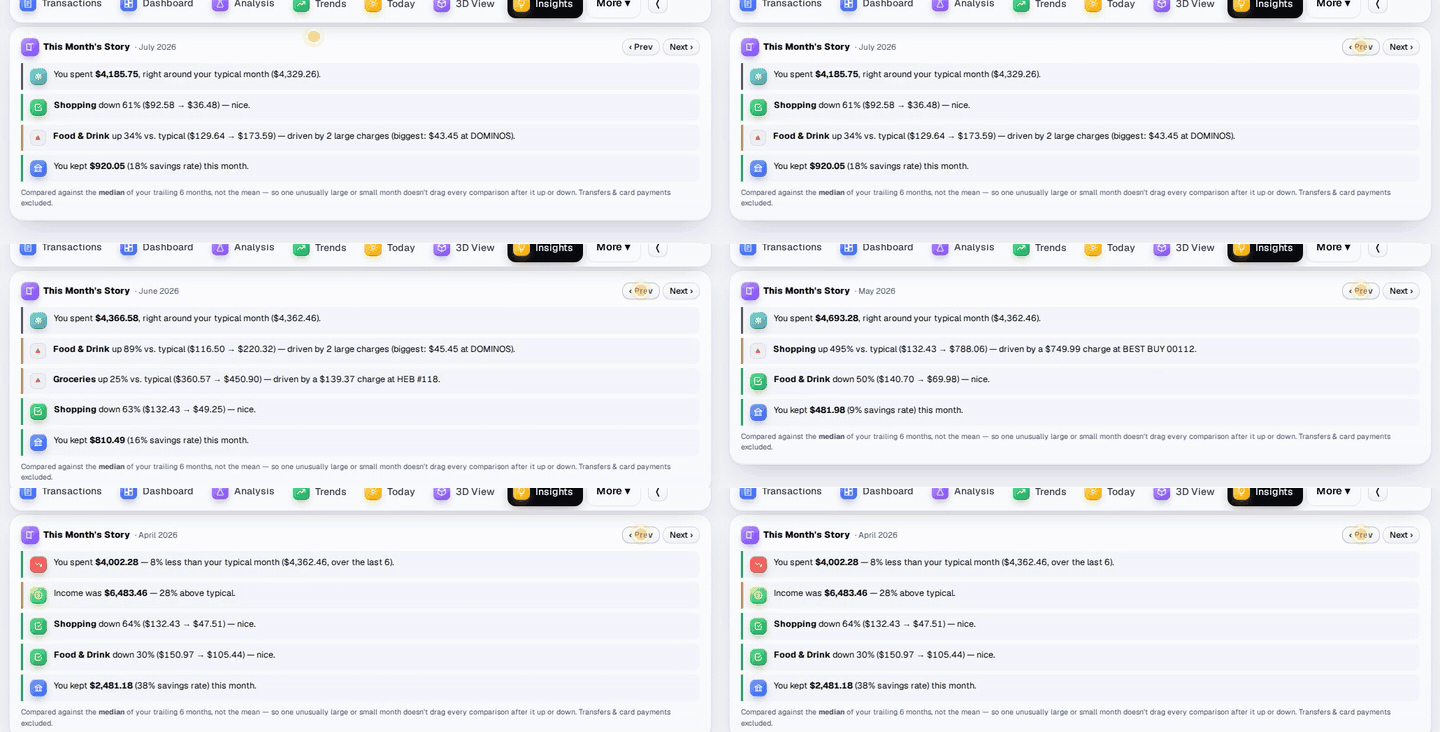
Your theme, your choice
Switch between light and dark mode with one click and set the text size that's comfortable for you. The app remembers your choice.
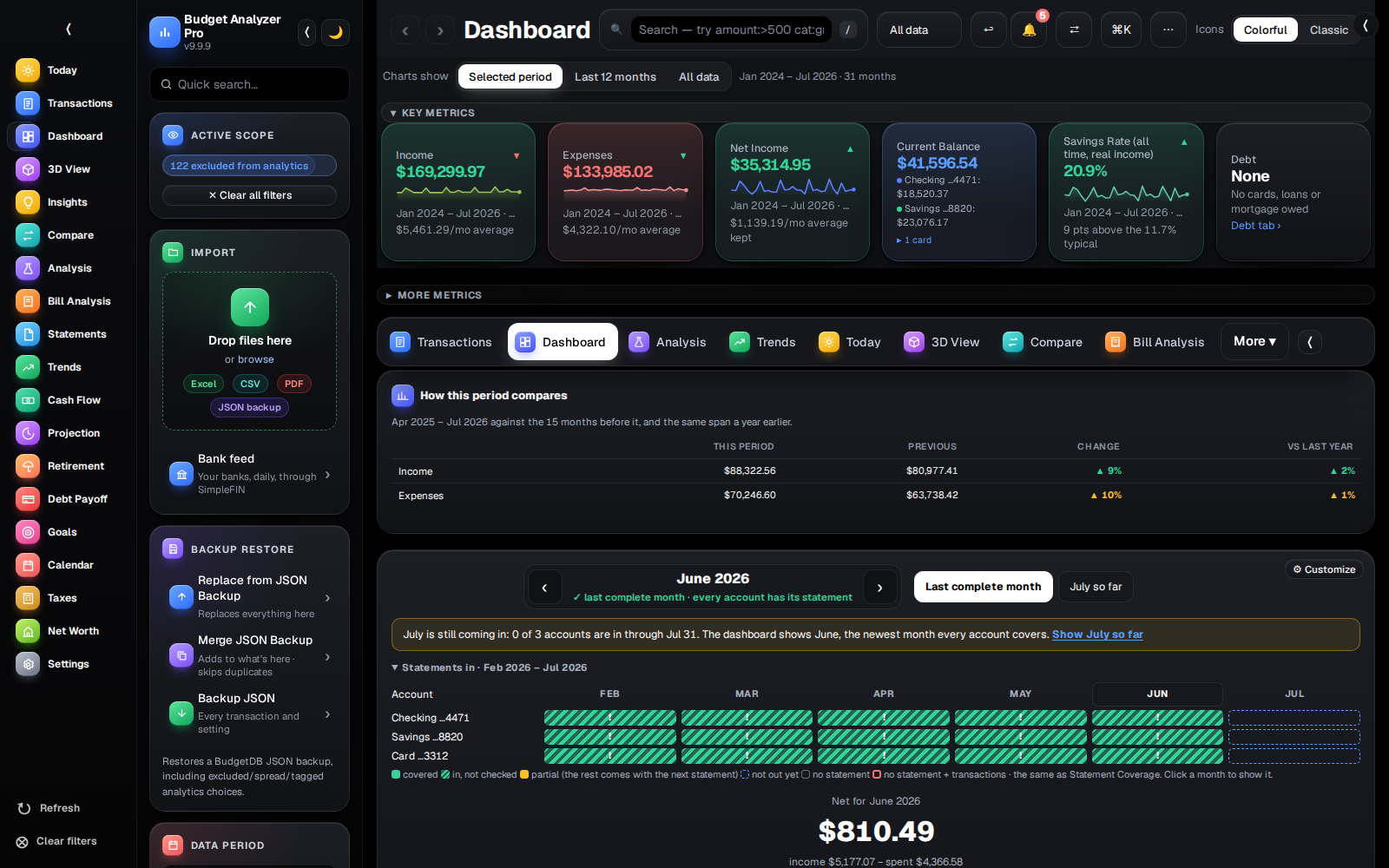
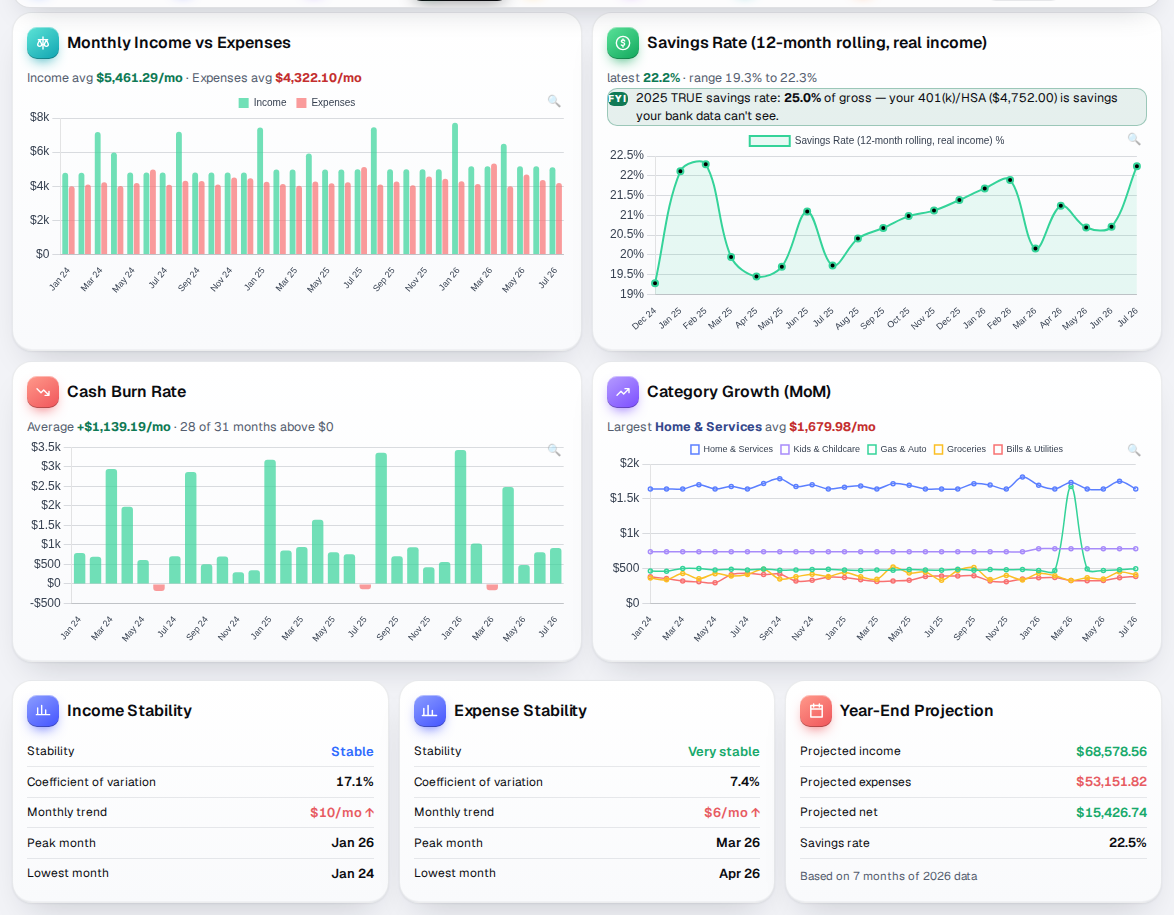
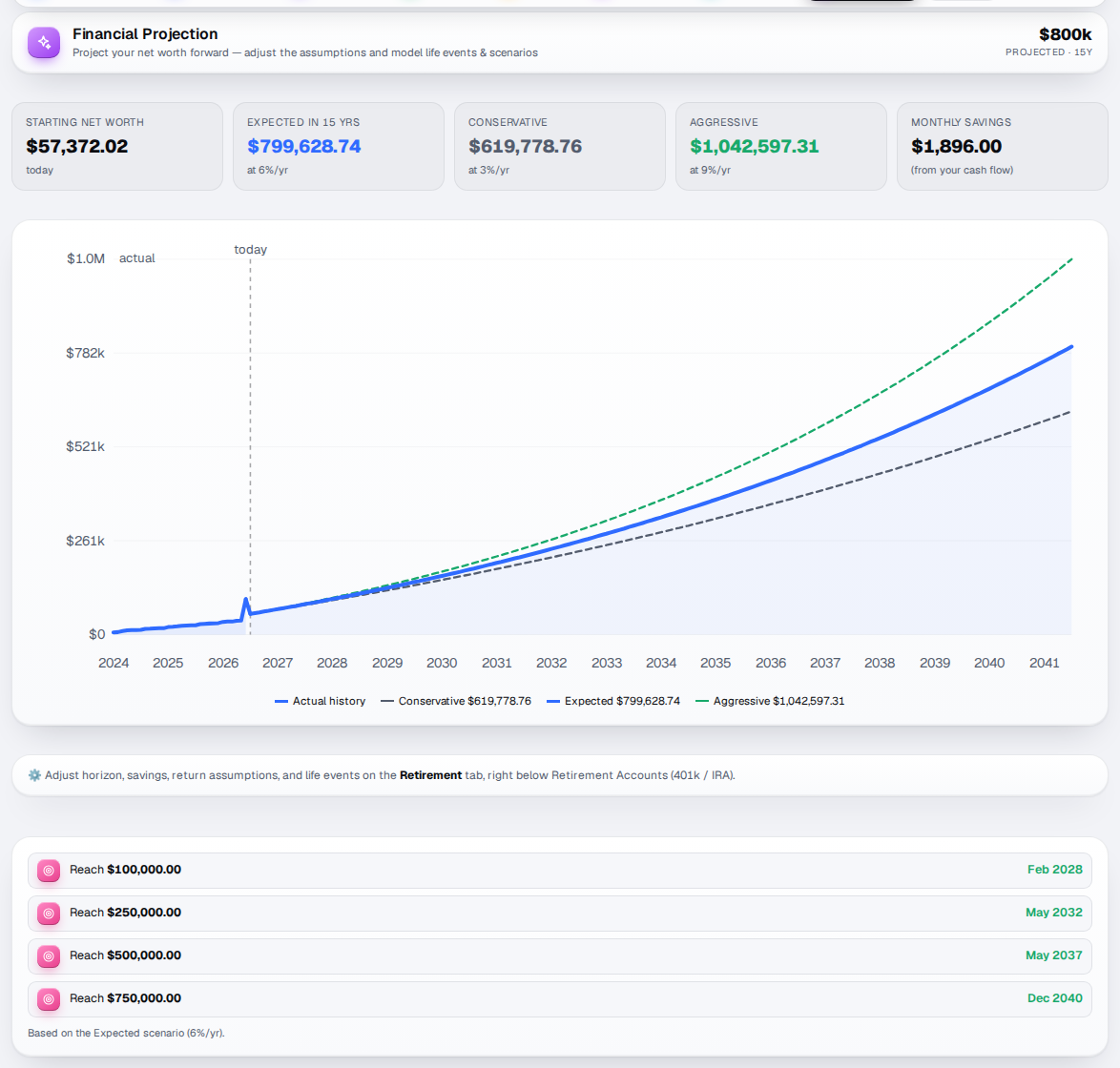
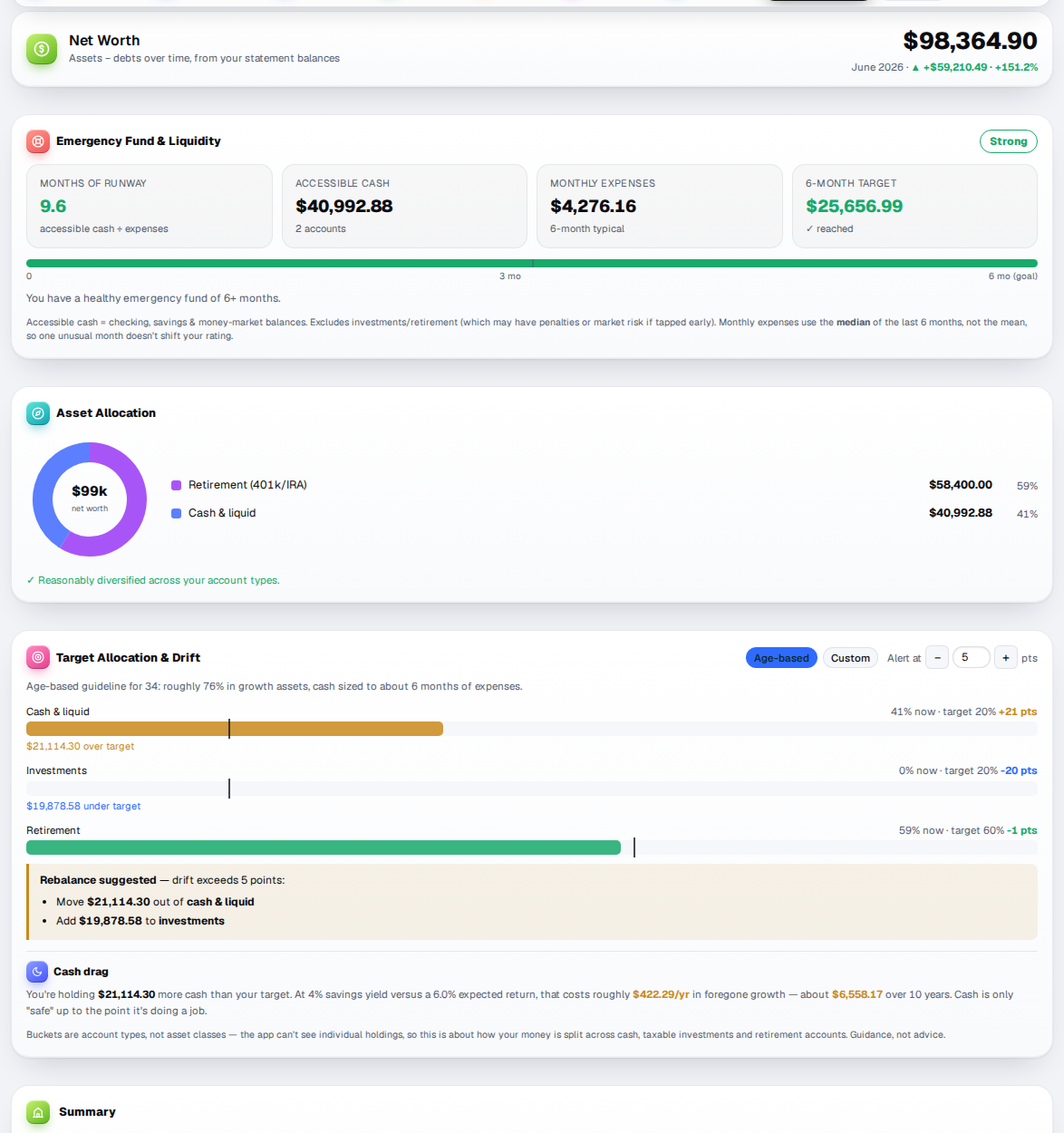
Looks great on every screen
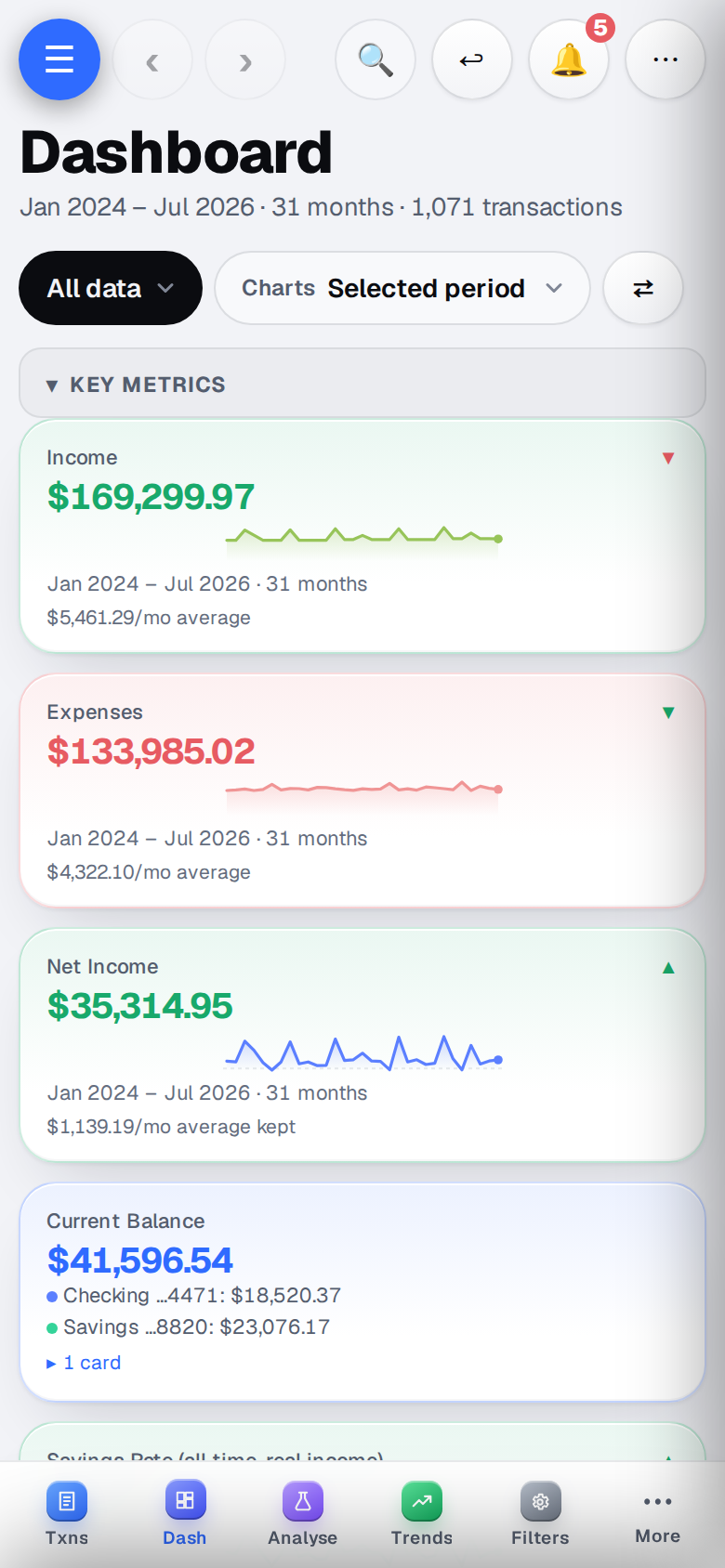
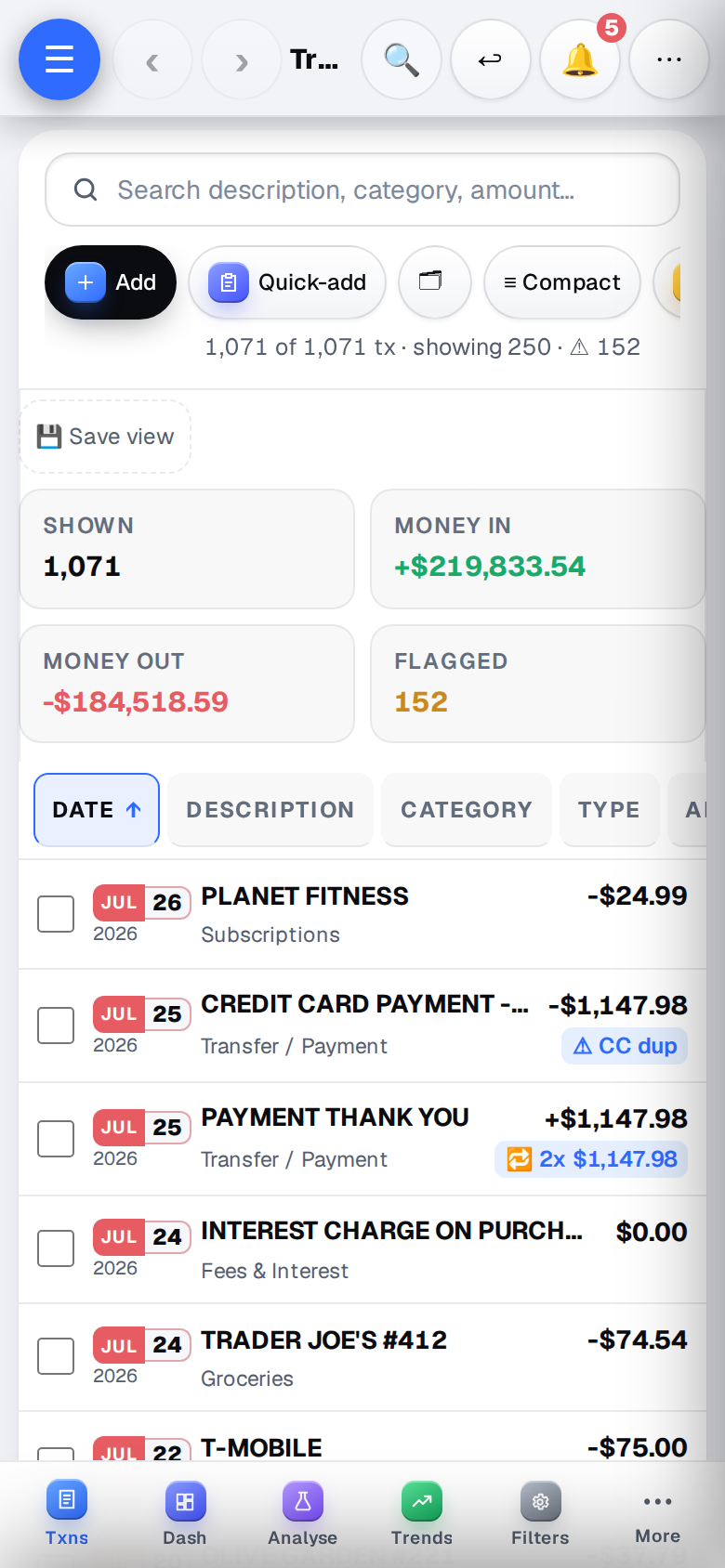
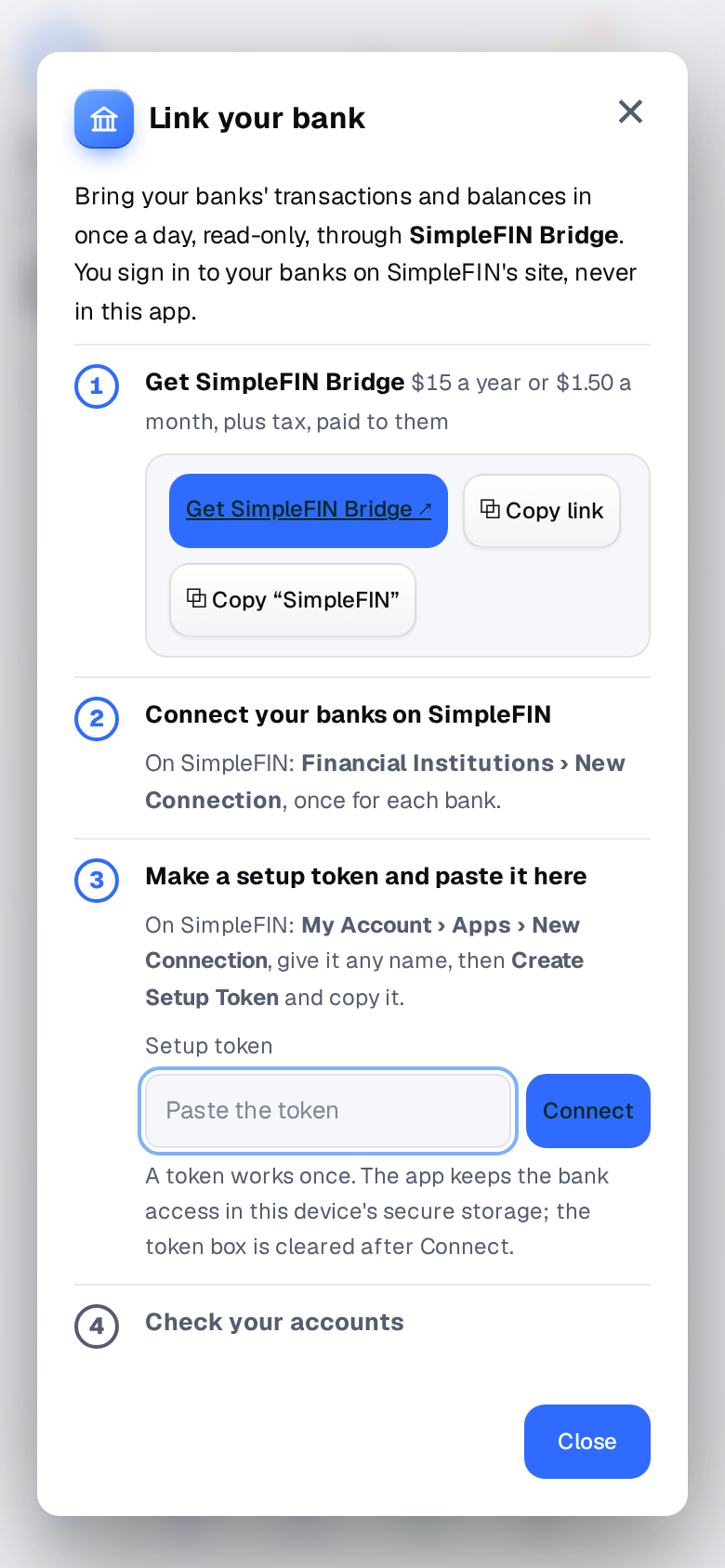
Install it on Windows or Linux, or add the web app to your phone's home screen. The phone layout puts every tool within thumb's reach.
Coming soon: the iPhone and Android apps, with the bank feed and Wi-Fi sync built in. This is how they will look. See more →
Take control of your money today
Pay once and use it forever. No subscription, no account, and no one looking at your finances but you.