 Budget Analyzer Pro
Numbers you can check: every statement has to add up
A budget is only as good as the transactions under it. If an import drops a row or reads one twice, every chart after that is quietly wrong. Budget Analyzer Pro checks its own work against the one source that can't be argued with: your bank's statement.
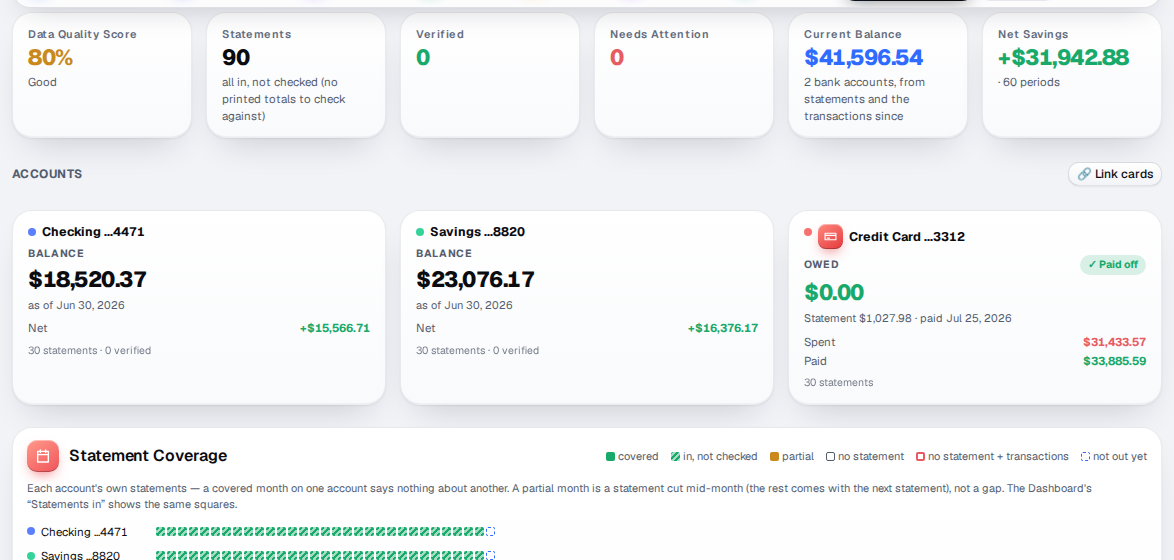
Each statement is checked against its own printed totals
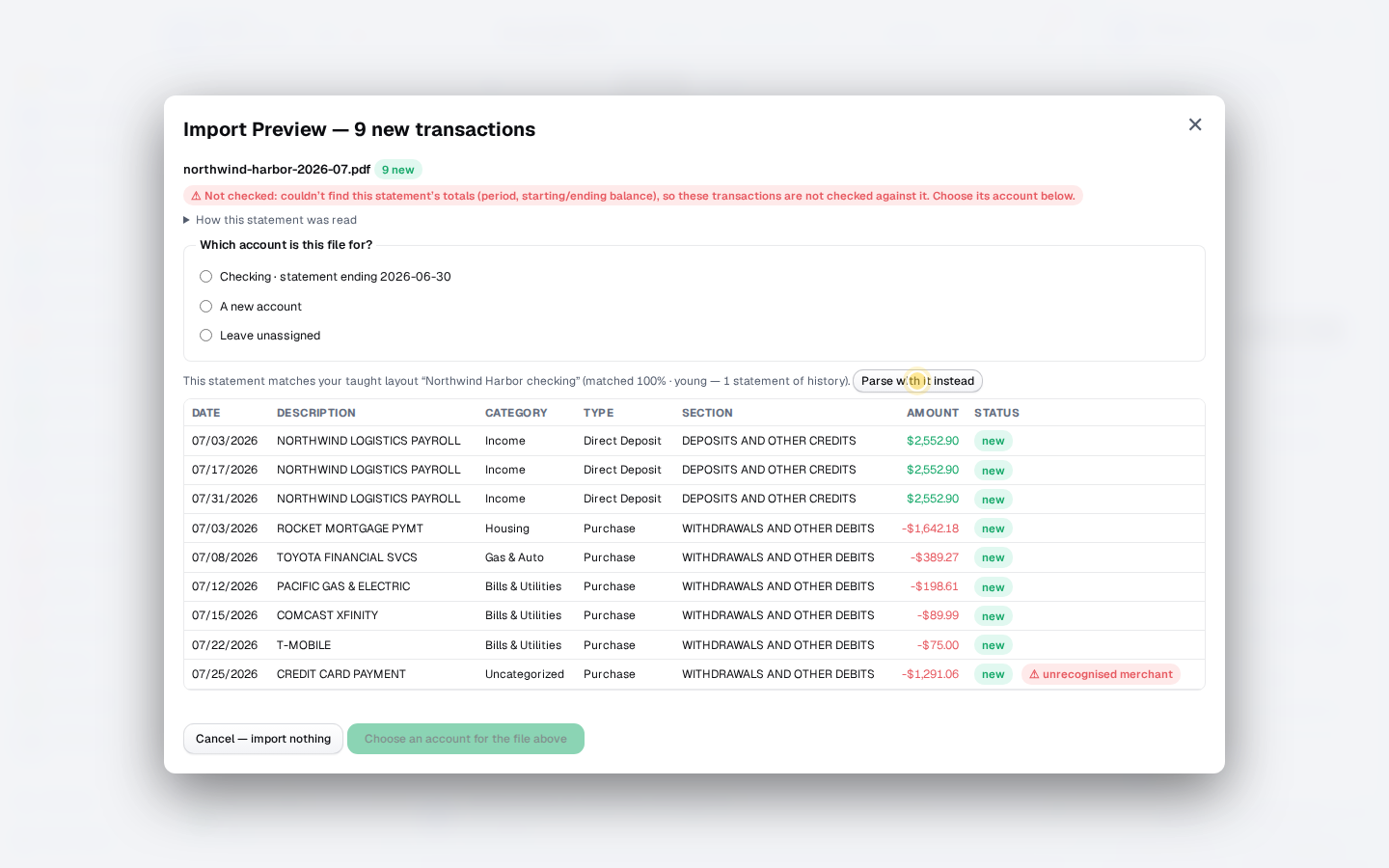
A bank statement prints an opening balance, a closing balance and the totals in between. When you import a PDF statement, the app adds up the rows it read and compares them with those printed figures. If they match, the statement is marked as adding up. If they don't, it tells you by how much, and walks you through finding the difference.
A bank it doesn't know? Show it once
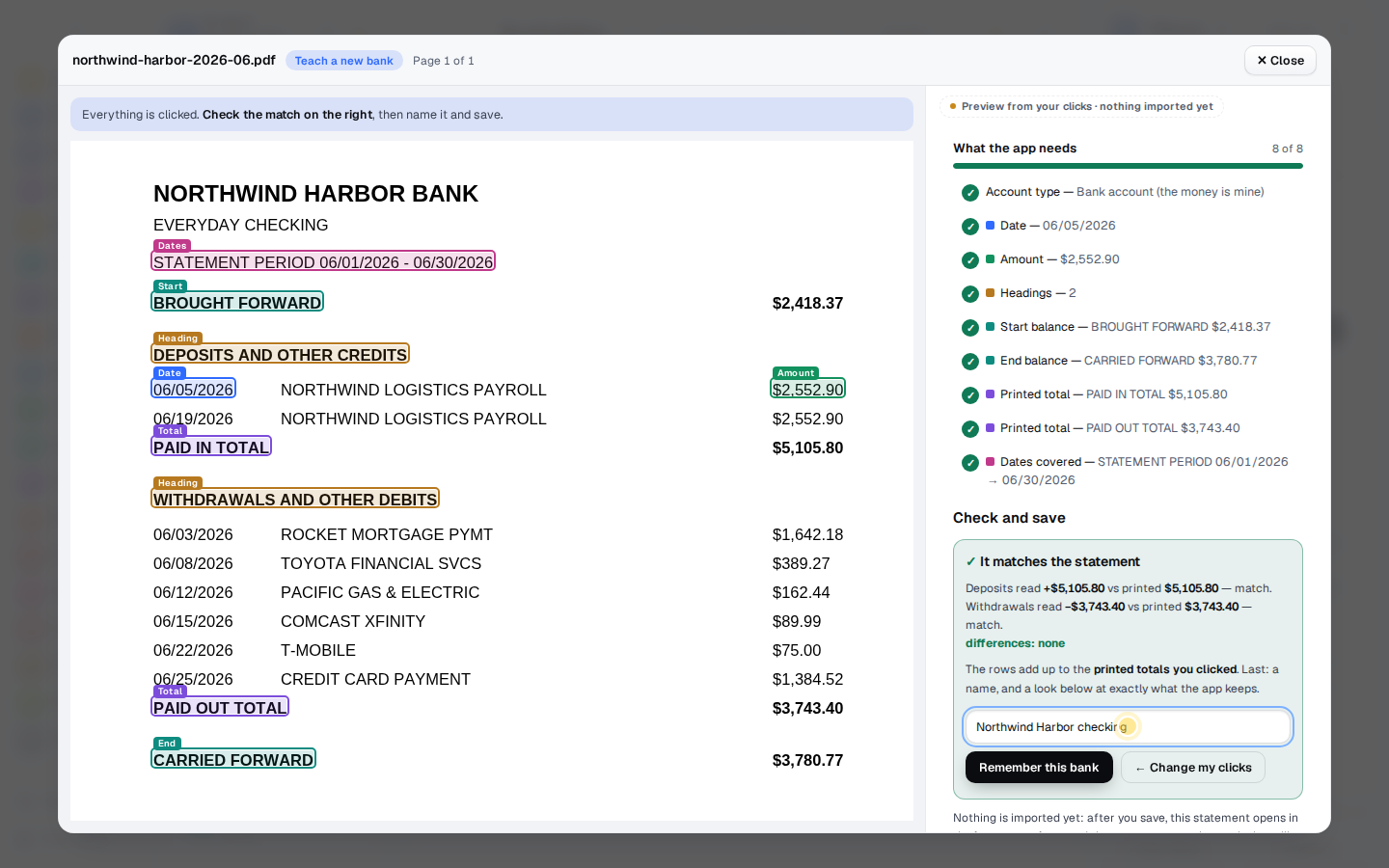
Every bank lays out its statements differently. When a PDF comes from a bank the app hasn't seen, you point at the parts once: a date, an amount, the balances and the totals. It takes about two minutes. The app saves that layout only if the rows it then reads add up to the statement's own printed totals.
The next statement from that bank is recognized the moment you drop it in. The layout gets more trusted with every statement that adds up, and it steps aside if your bank changes its format.