
← All posts Statements · Any bank

Numbers you can check: every statement has to add up

A budget is only as good as the transactions under it. If an import drops a row or reads one twice, every chart after that is quietly wrong. Budget Analyzer Pro checks its own work against the one source that can't be argued with: your bank's statement.

Each statement is checked against its own printed totals

A bank statement prints an opening balance, a closing balance and the totals in between. When you import a PDF statement, the app adds up the rows it read and compares them with those printed figures. If they match, the statement is marked as adding up. If they don't, it tells you by how much, and walks you through finding the difference.
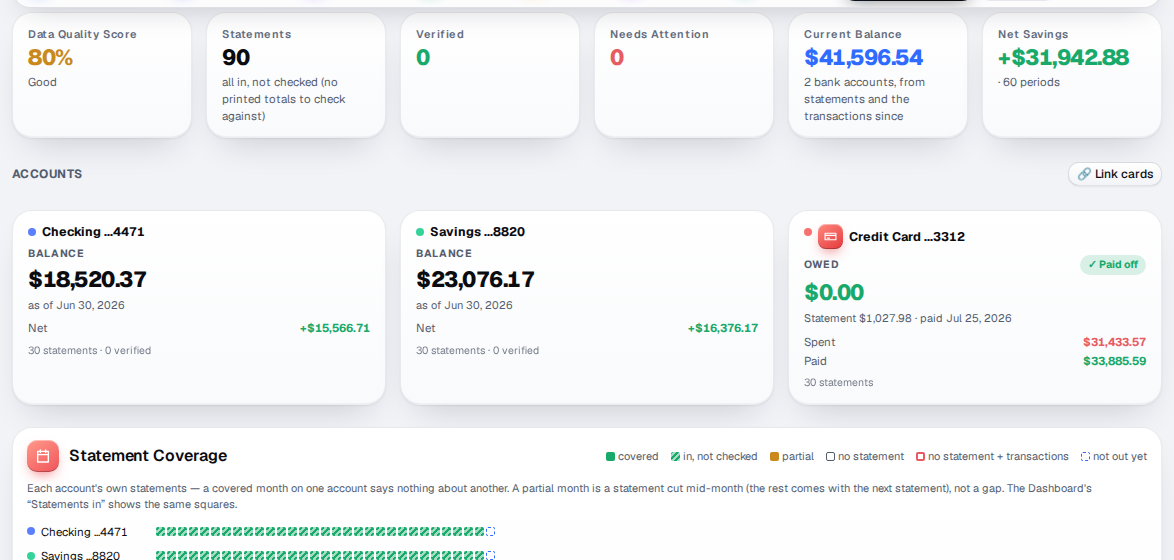
The Statements tab: data quality score 80%, 90 statements, balances for a checking account, a savings account and a credit card, and the statement coverage map.
Statements: a balance for each account, and the coverage map, which shows any missing month at a glance.

A bank it doesn't know? Show it once

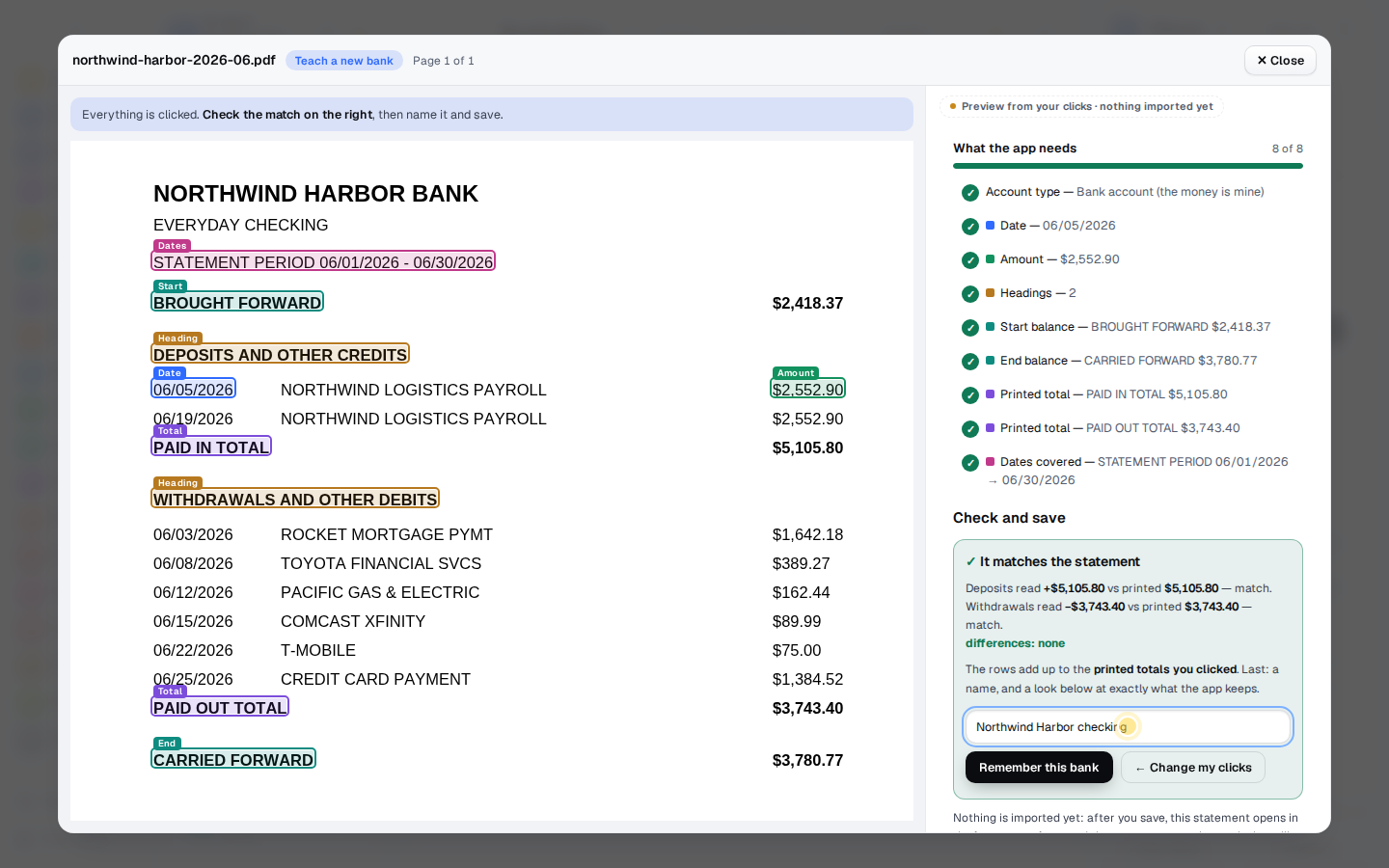
Every bank lays out its statements differently. When a PDF comes from a bank the app hasn't seen, you point at the parts once: a date, an amount, the balances and the totals. It takes about two minutes. The app saves that layout only if the rows it then reads add up to the statement's own printed totals.
Northwind Harbor Bank, June 2026 (made up) Opening balance (printed)$2,418.37 + deposits the app read$5,105.80 − withdrawals the app read$3,743.40 = closing balance$3,780.77 printed closing balance $3,780.77 ✓ matches, layout saved
The check behind every taught layout. Deposits and withdrawals also have to match their own printed totals, not only the closing balance.
Teaching the app a new statement layout: the check shows no differences, and a list of what will be stored, before you name the bank.
Everything is marked, the app confirms it matches the statement, and you give the bank a name.

The next statement from that bank is recognized the moment you drop it in. The layout gets more trusted with every statement that adds up, and it steps aside if your bank changes its format.
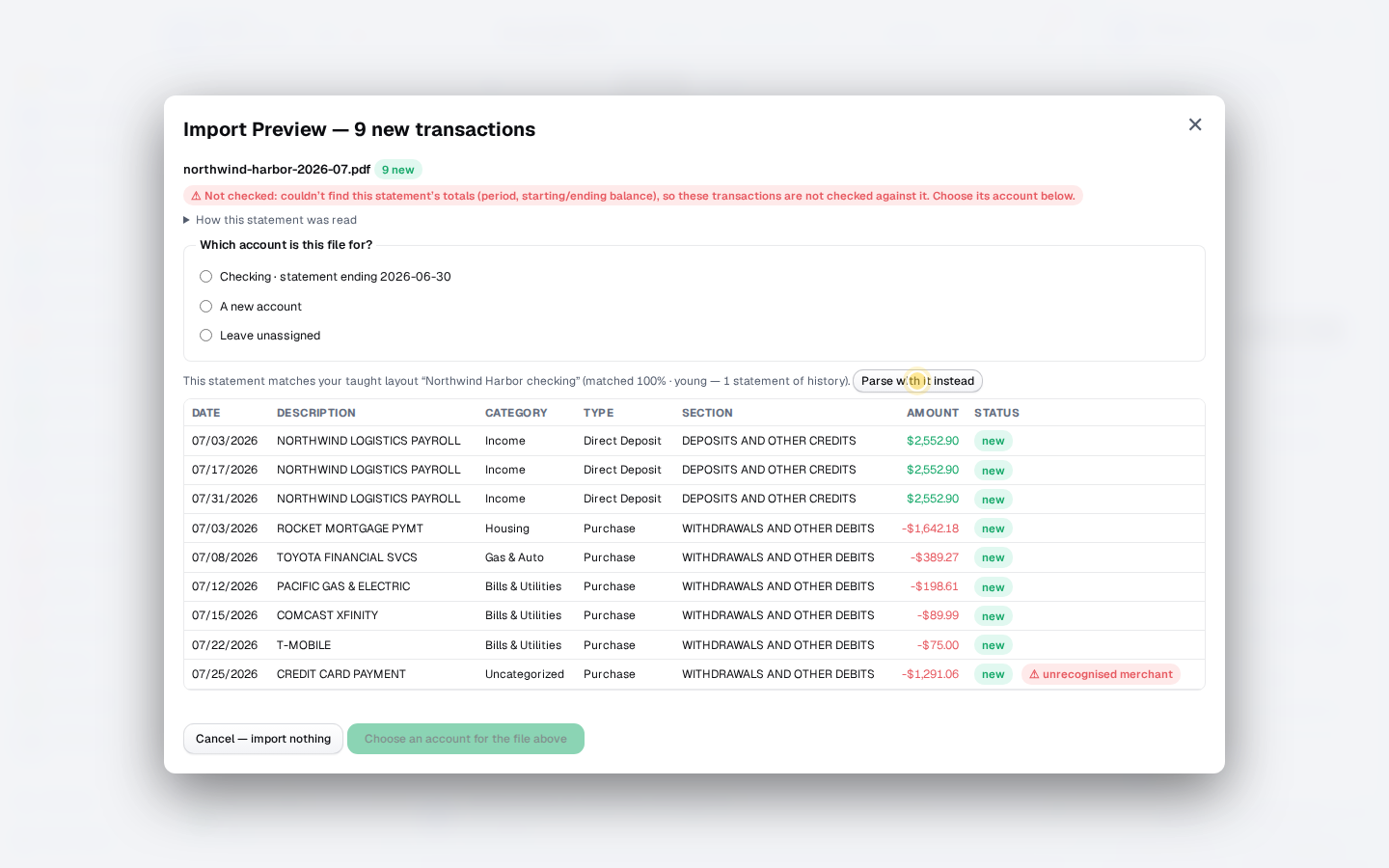
The import preview for the July statement, recognized automatically as matching the taught layout.
July's statement from the same bank: recognized straight away, nothing to point at.
Private by design. A taught layout stores where things are on the page, never your amounts, names or account numbers. See every step of teaching a bank →

More from the blog

See it with your own statements

Pay once and use it forever. No subscription, no account, and no one looking at your finances but you.