 Budget Analyzer Pro
Everything you need to understand your money
17 tools in one app, all running privately on your device. Click any screenshot to enlarge it.
📥 Import & organize
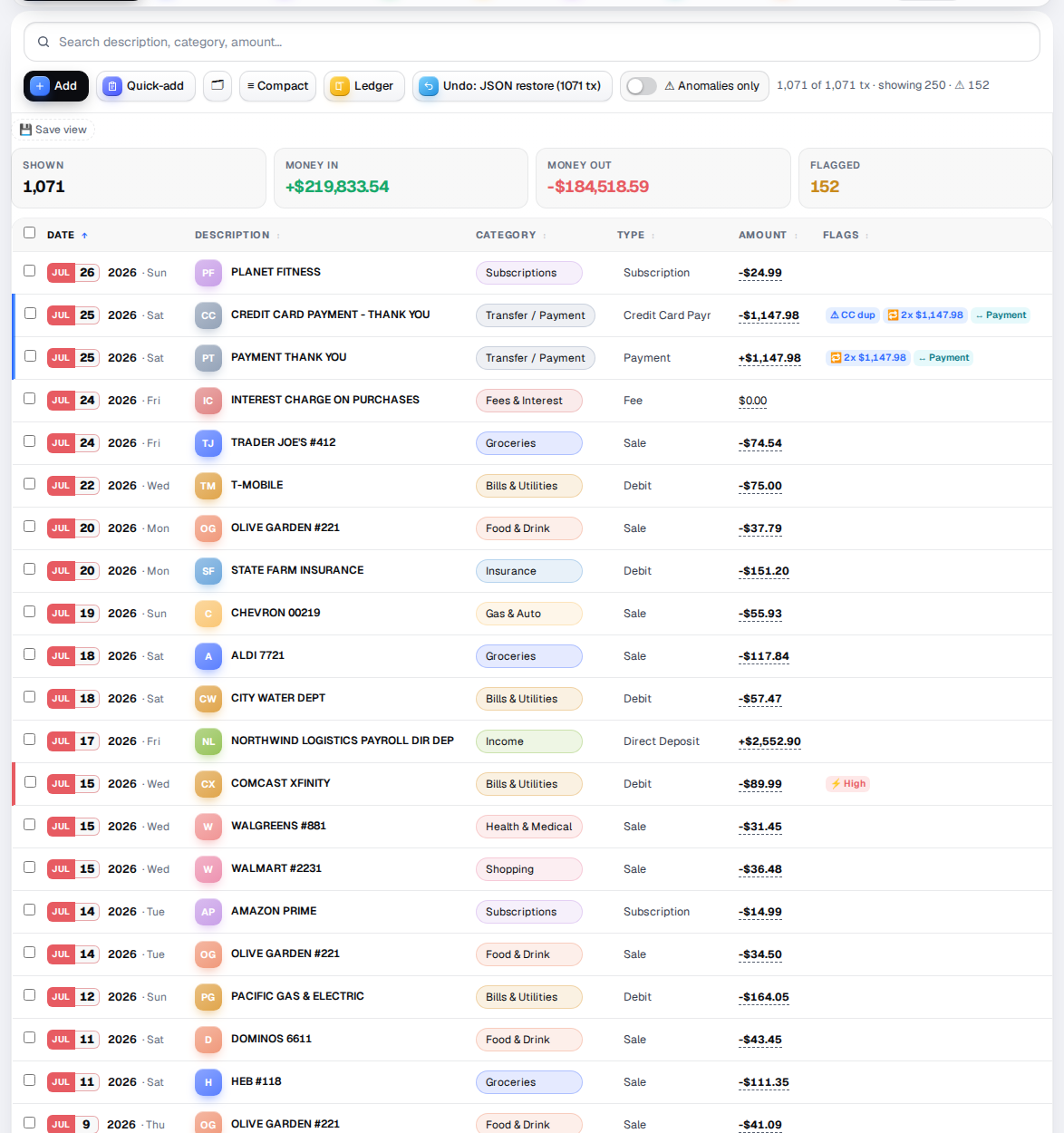
🧾 Transactions
Every transaction from every account in one fast, searchable list.
- Imports CSV, Excel and PDF statements from your bank or card
- Automatic categories that learn from your corrections
- Power search:
amount:>500,cat:groceries,is:dup,is:uncat - Quick-add, compact and ledger views, plus saved views
- Large-transaction flags and an “anomalies only” filter
📑 Statements & reconciliation
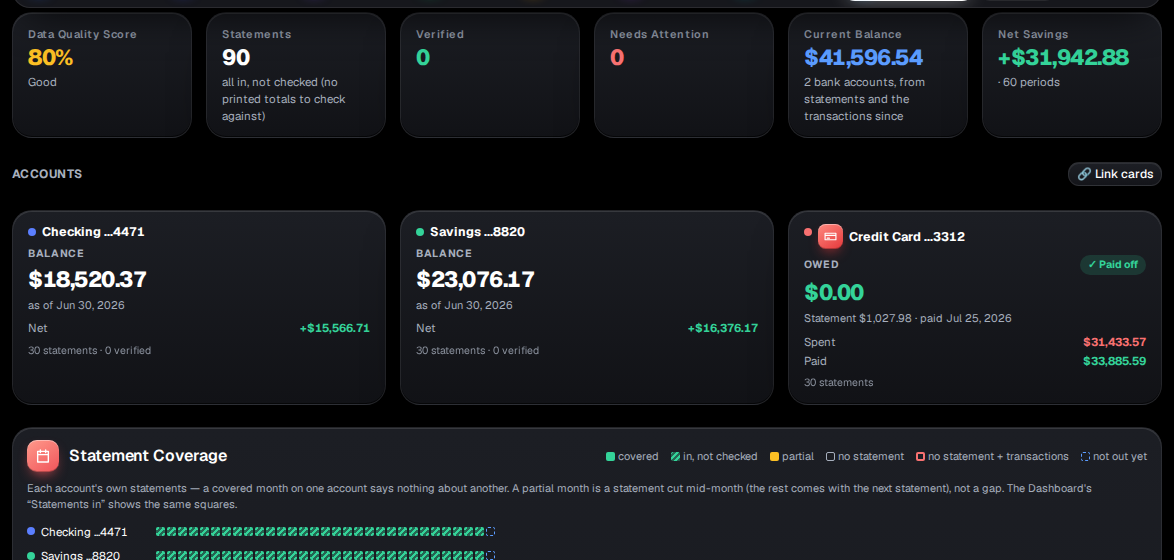
See which months of each account are covered, and whether the imported rows match the statement's own opening and closing balance.
- Per-account balances for checking, savings and credit cards
- Coverage map that shows any missing months at a glance
- Data-quality score that tells you what needs attention
🎓 Learns new banks
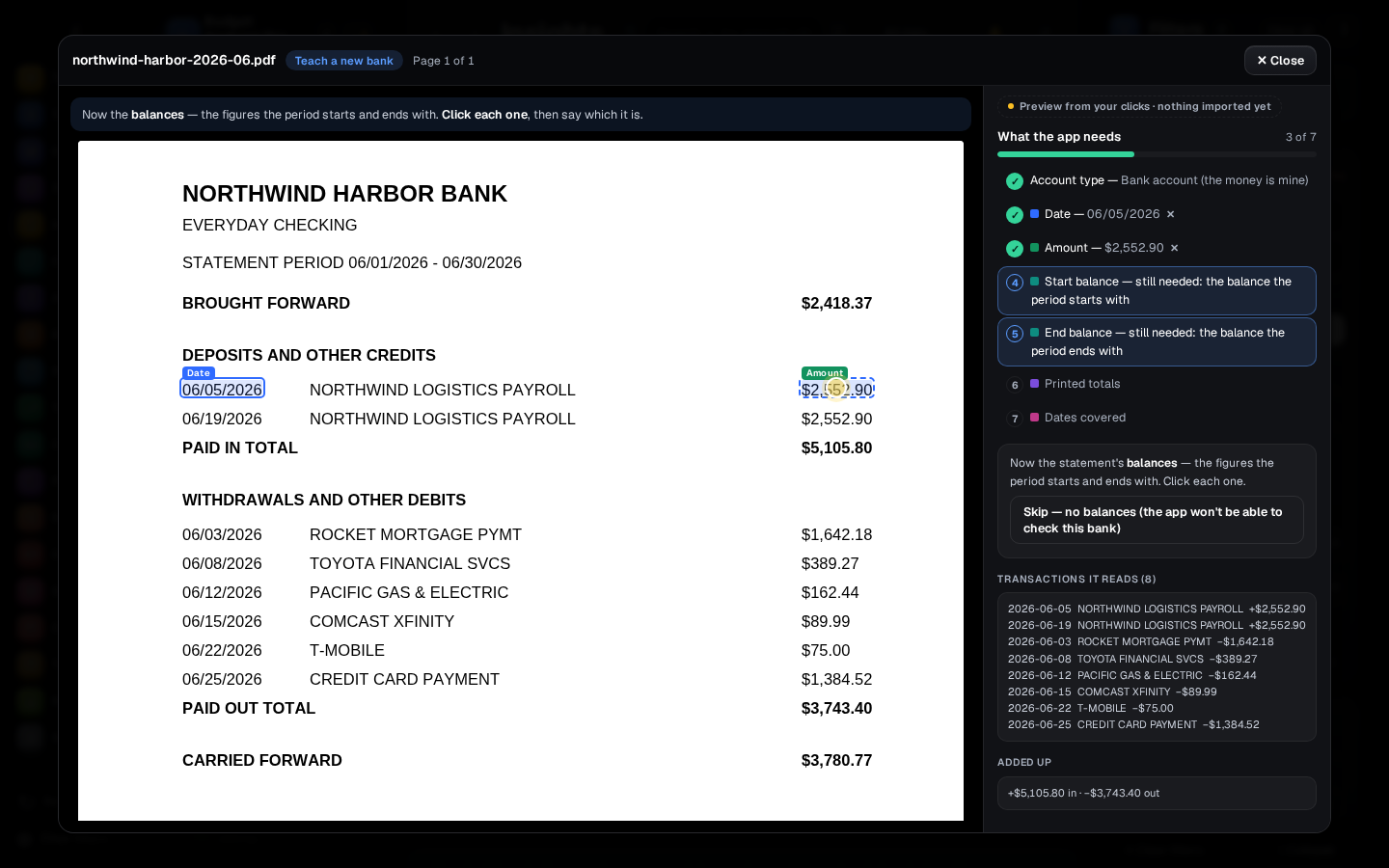
A PDF statement from a bank the app doesn't recognize? Point at its date, amount, balances and totals once. It takes about two minutes, and every later statement from that bank is recognized.
- Proven before it's saved: a layout is kept only if it adds up to the statement's own printed totals
- Private: it stores the layout, never your amounts, names or account numbers
- Gets more trusted with every statement, and steps aside if your bank changes its format
📊 Understand your spending
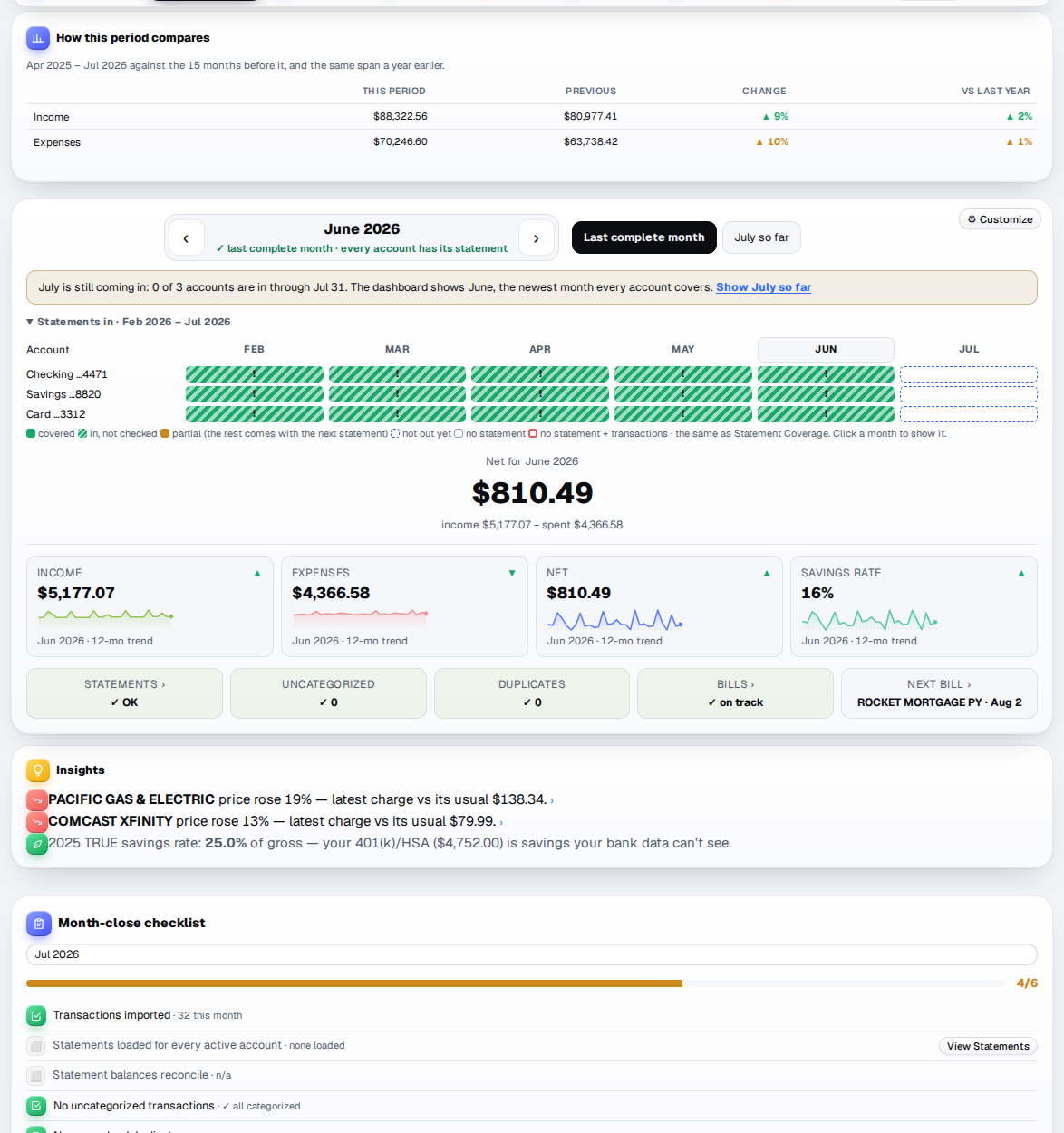
📊 Dashboard
Income, expenses, net income, balances and savings rate on one screen, with sparklines for every number.
- “This Month's Story”: a plain-English summary of what changed
- Period comparison against the months before and the same time last year
- Left-after-bills forecast for the current month
- Month-close checklist to keep your books tidy
🔬 Analysis
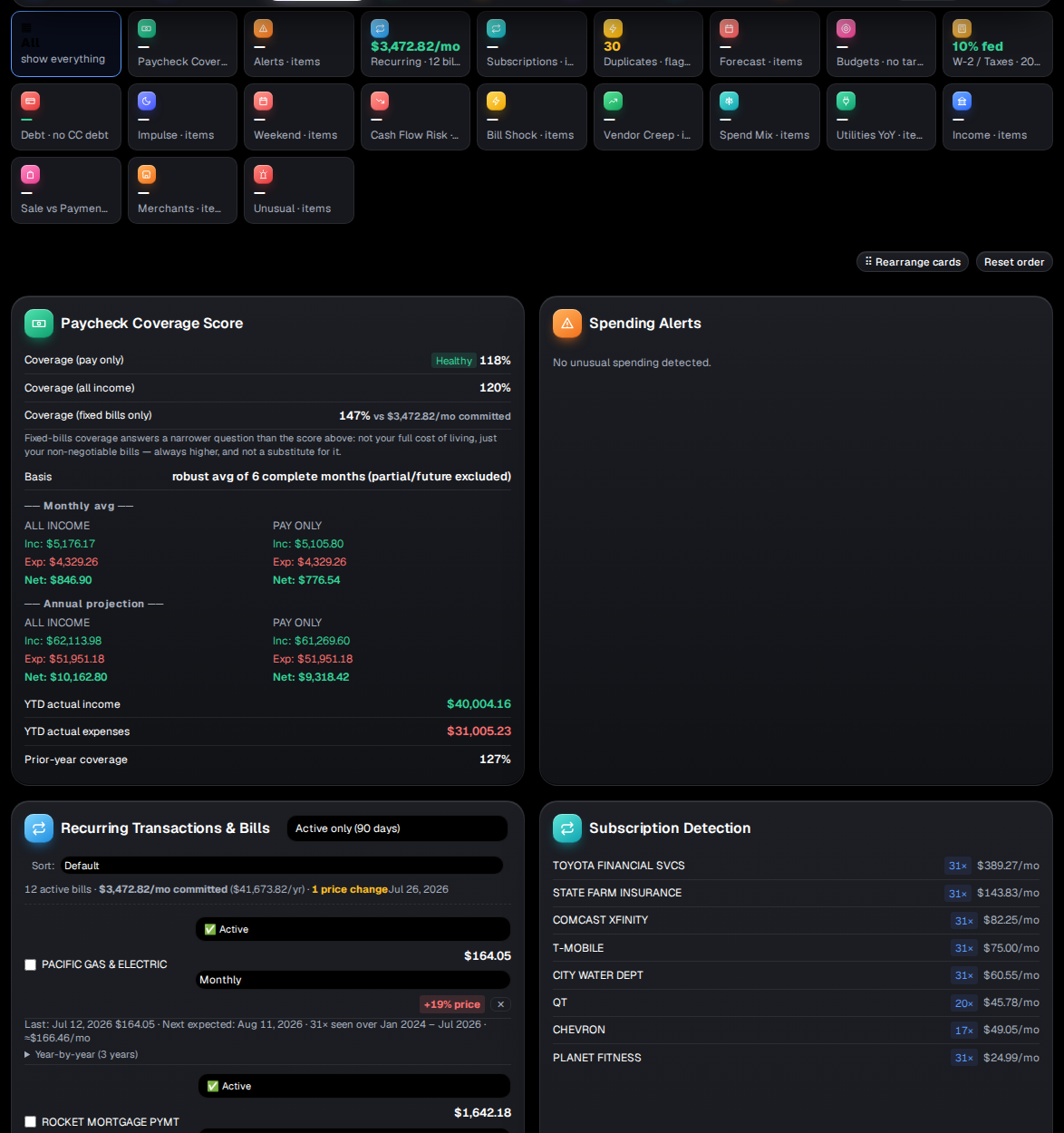
More than 20 analysis cards that you can rearrange to suit you.
- Paycheck coverage score and cash-flow risk
- Spending alerts, impulse purchases and vendor creep
- Weekend vs. weekday and essential vs. optional spending mix
- Budget vs. actual, category forecasts and utility costs year over year
📈 Trends
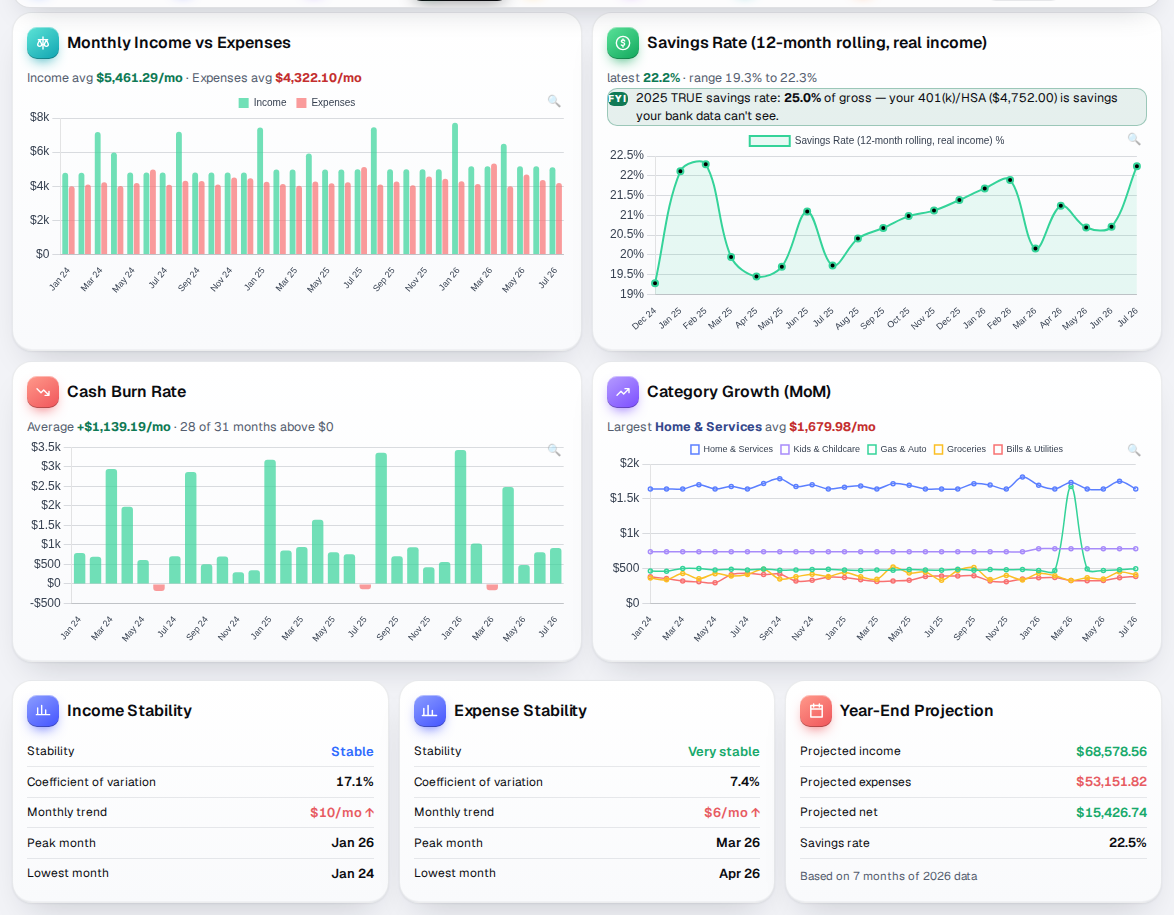
See the long view: monthly income vs. expenses, rolling savings rate, cash burn and category growth.
- Income and expense stability scores
- Year-end projection based on your pace so far
- Click any chart to filter everything else to that slice
⇄ Compare
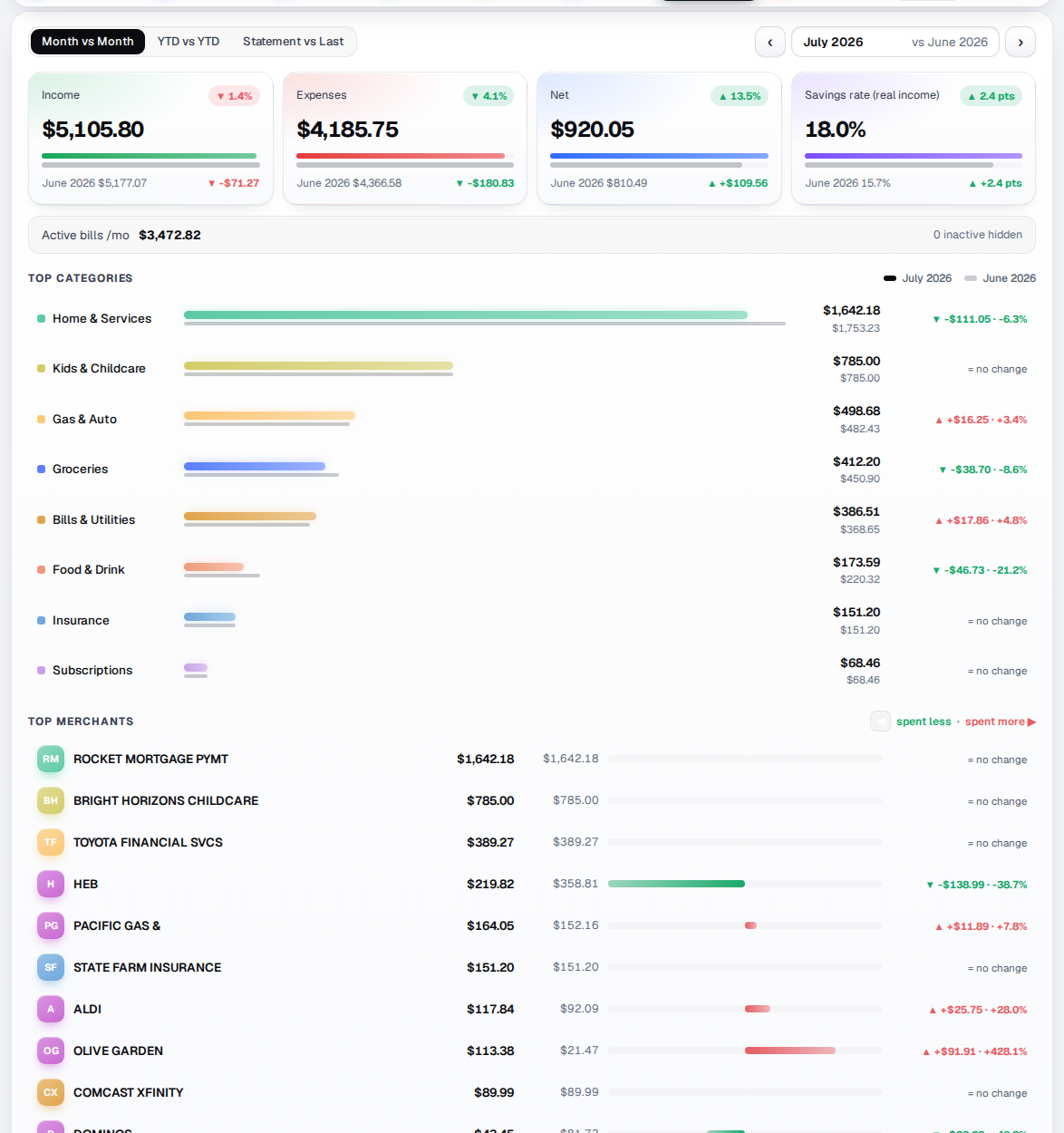
Compare this month with last month, this year to date with last year to date, or one statement with the previous one.
- Category and merchant differences with ▲▼ arrows
- Savings-rate change in percentage points
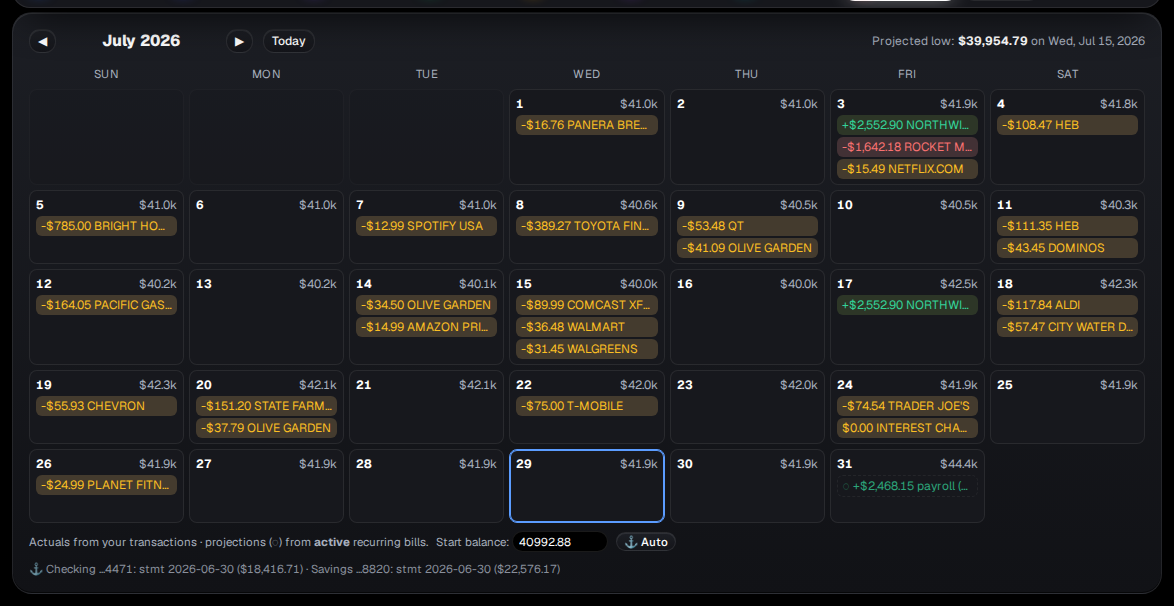
📅 Cash-flow calendar
A month view of real transactions plus projected bills, with your running balance on every day.
- Click any day to see what happened
- Upcoming bills projected from your recurring payments
💵 Cash flow
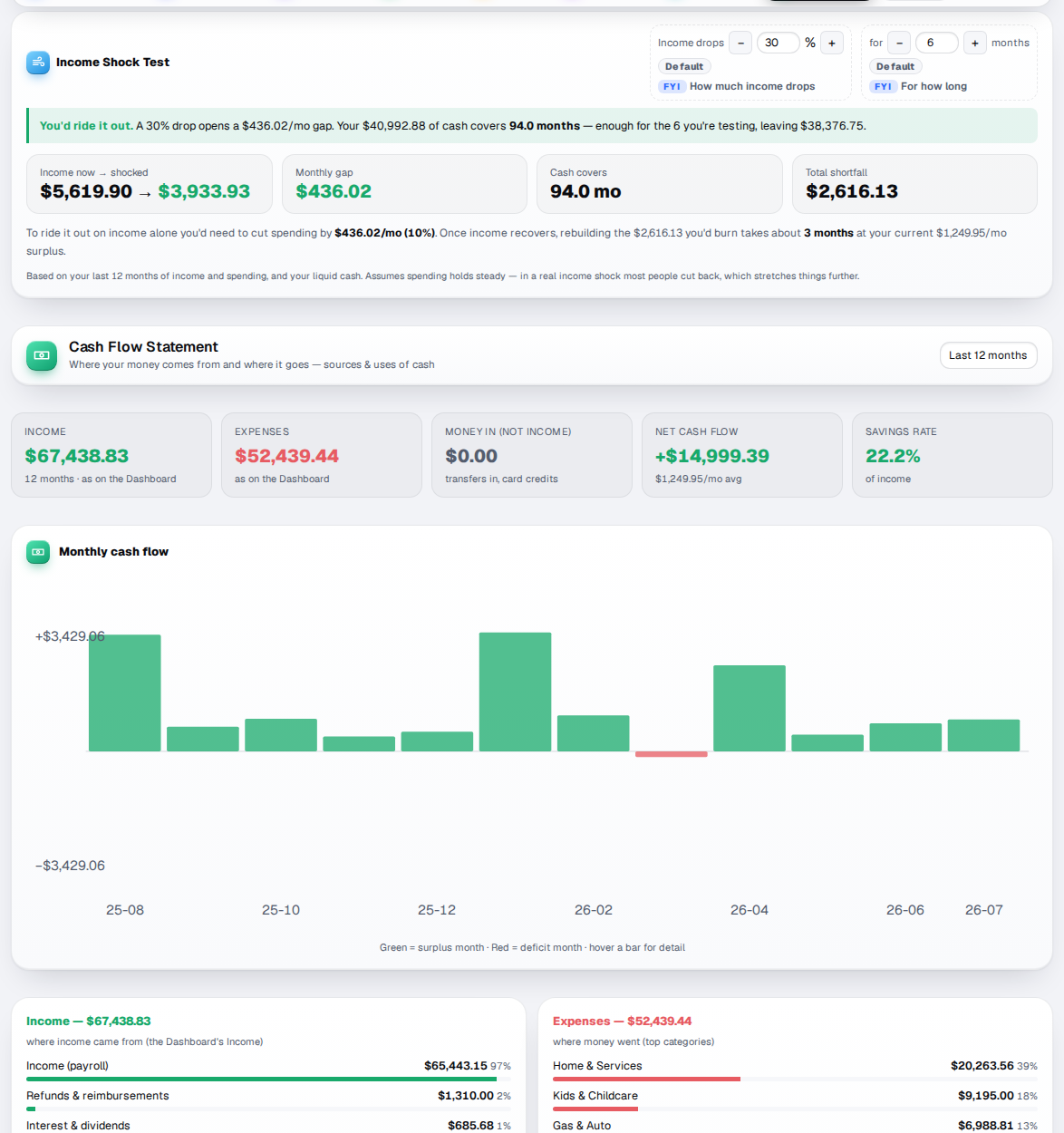
A cash-flow statement that shows where money came from and where it went, month by month.
- Income-shock stress test: how long could you last without income?
- Income and expense breakdown by source and category
📖 This Month's Story
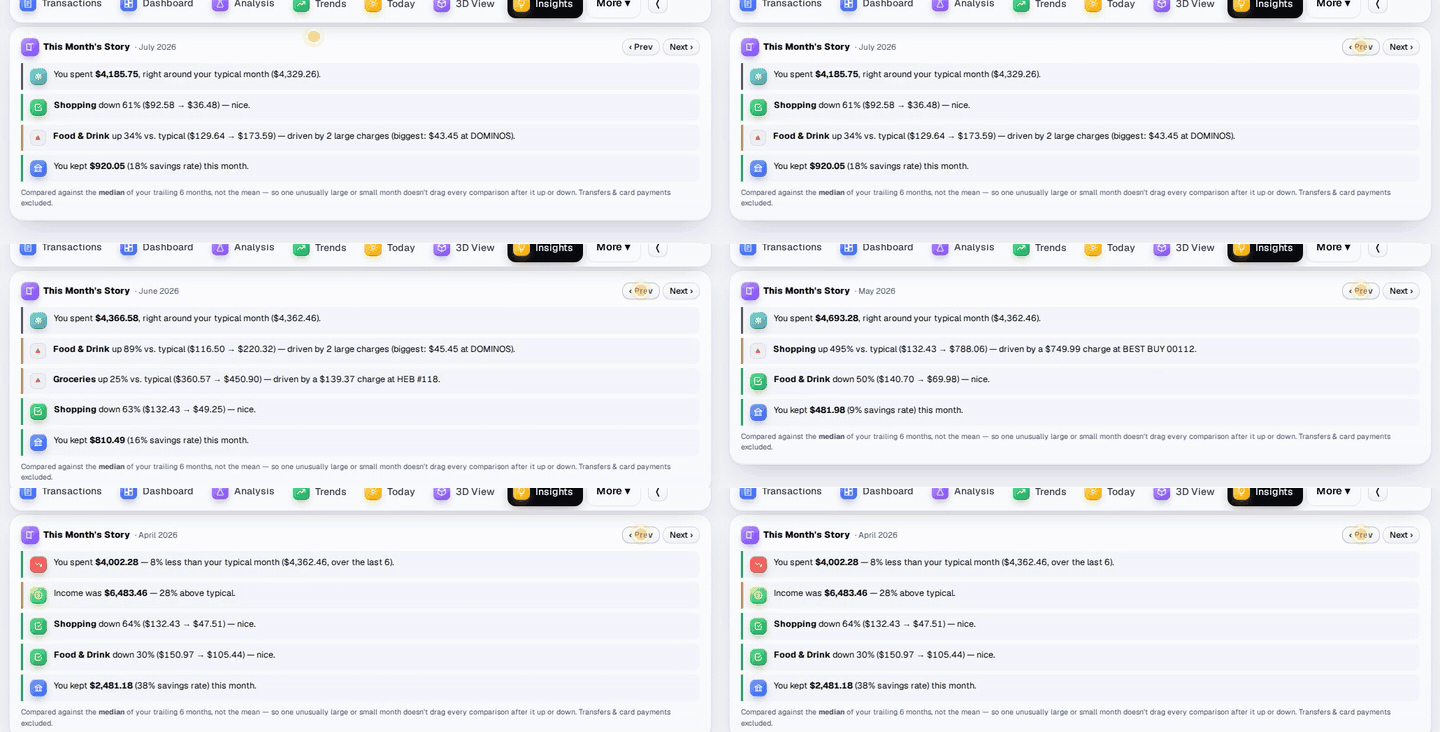
A short, plain-English summary of each month: what you spent compared with a typical month, which categories jumped or dropped and why, and how much you kept.
- Names the cause: “driven by a $749.99 charge at Best Buy”
- Fair comparisons: each month is measured against the median of the 6 before it, so one odd month doesn't skew the rest
- Step back in time with ‹ Prev and Next › to read any month's story
🧊 3D View
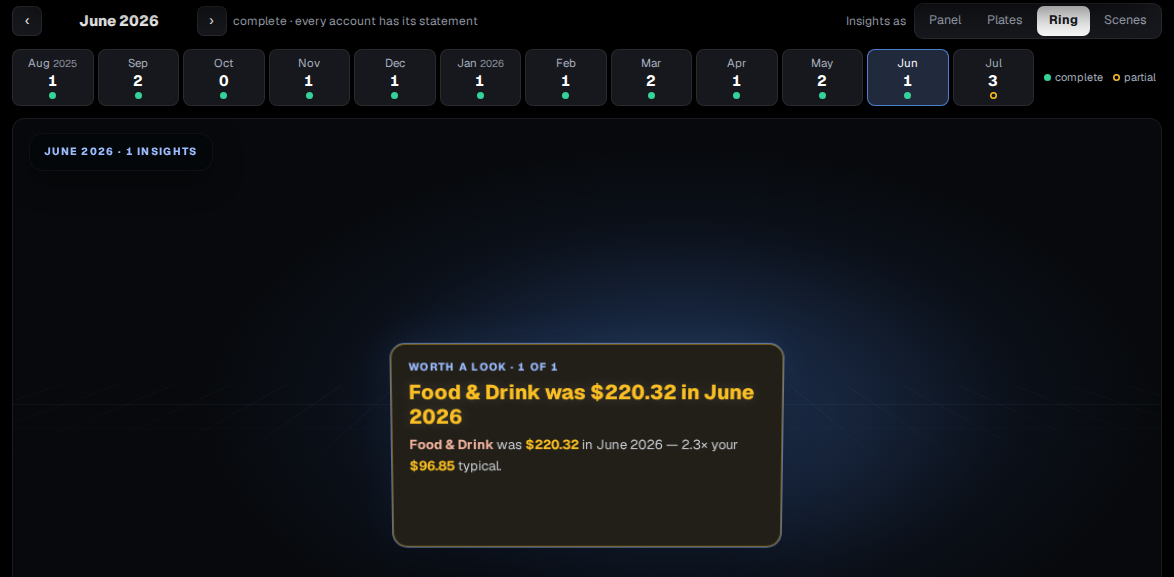
Your month as a short story in 3D: what you kept this month up front, with your average month and your best month stacked behind it. Then step through your dashboard's charts, one per scene.
- One chart per scene, each with its own key numbers
- Step through with ‹ and ›, or jump to any scene with the dots
- Same numbers as the dashboard: it reads your data, it doesn't estimate it
🔁 Bills & subscriptions
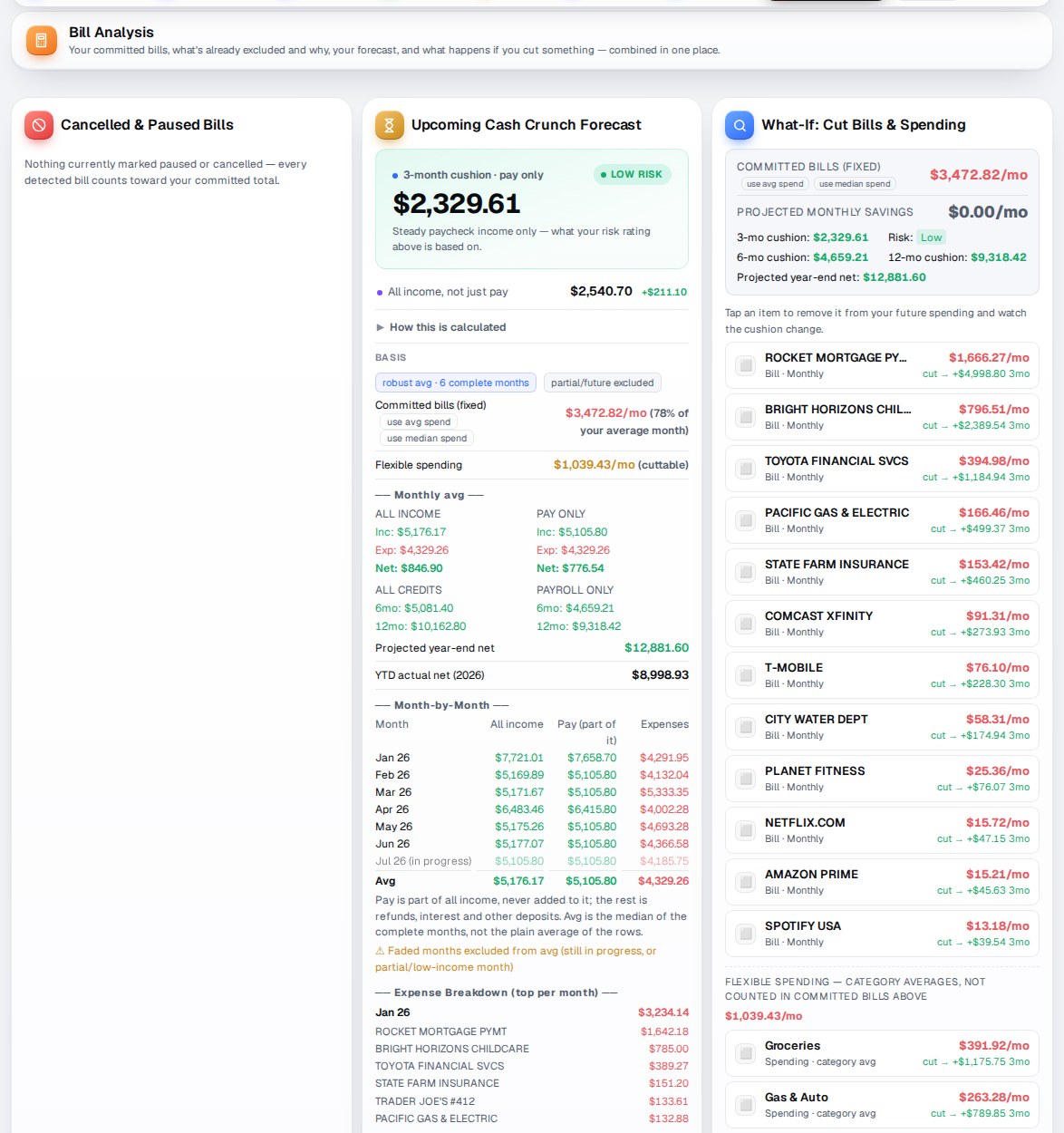
🧮 Bill analysis
Every recurring bill is detected automatically, with what you've committed to each month and what's coming next.
- Upcoming cash-crunch forecast that warns you before a tight week
- What-if: see what cutting a bill would save you
- Cancelled and paused bills tracking
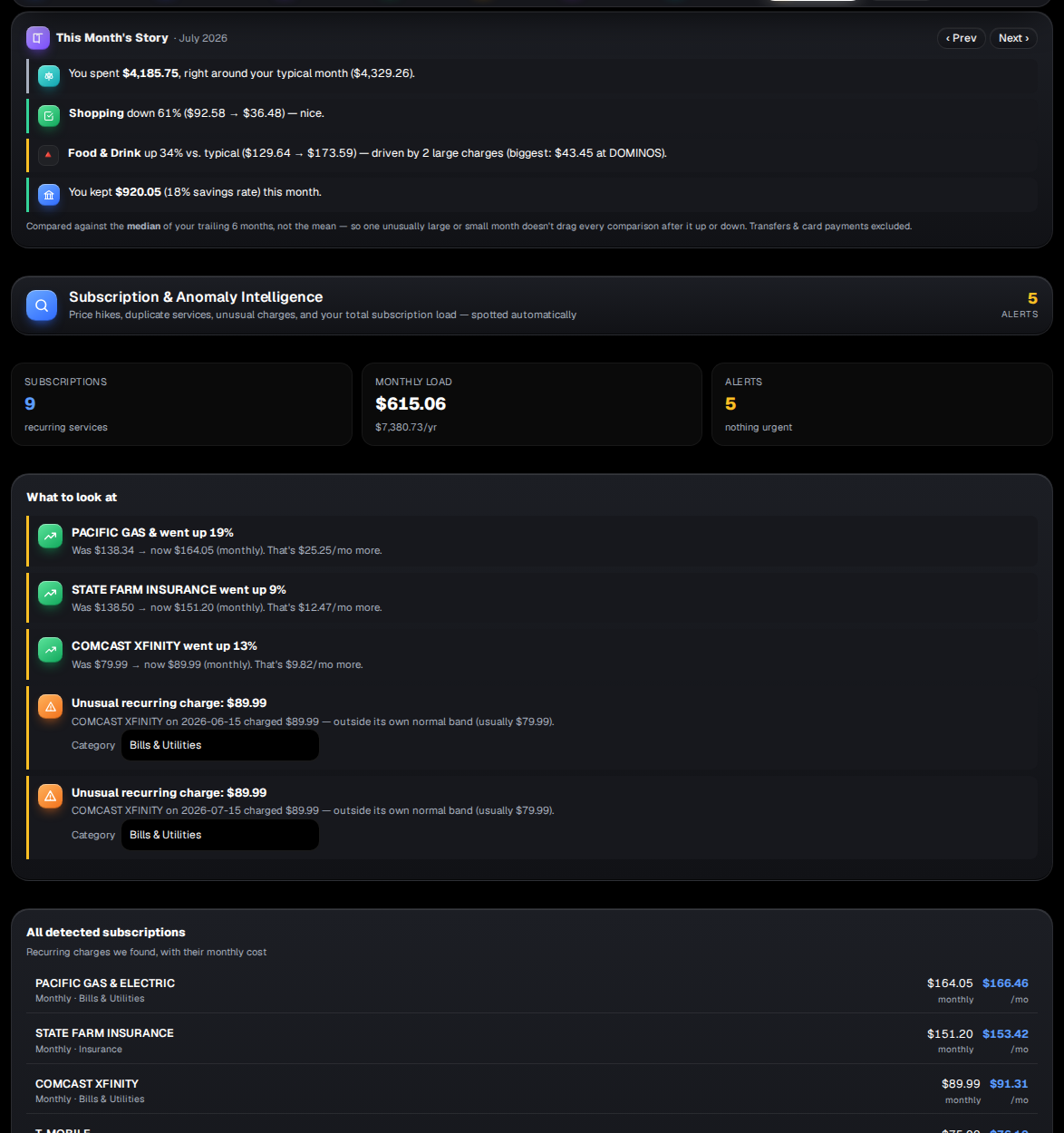
🔍 Insights & subscription intelligence
Catches price hikes, duplicate services and unusual charges, and shows your total subscription cost.
- “Comcast went up 13%” style alerts with the dollar impact
- All detected subscriptions with their monthly cost
- Notification center for anything that needs a look
🔮 Plan ahead
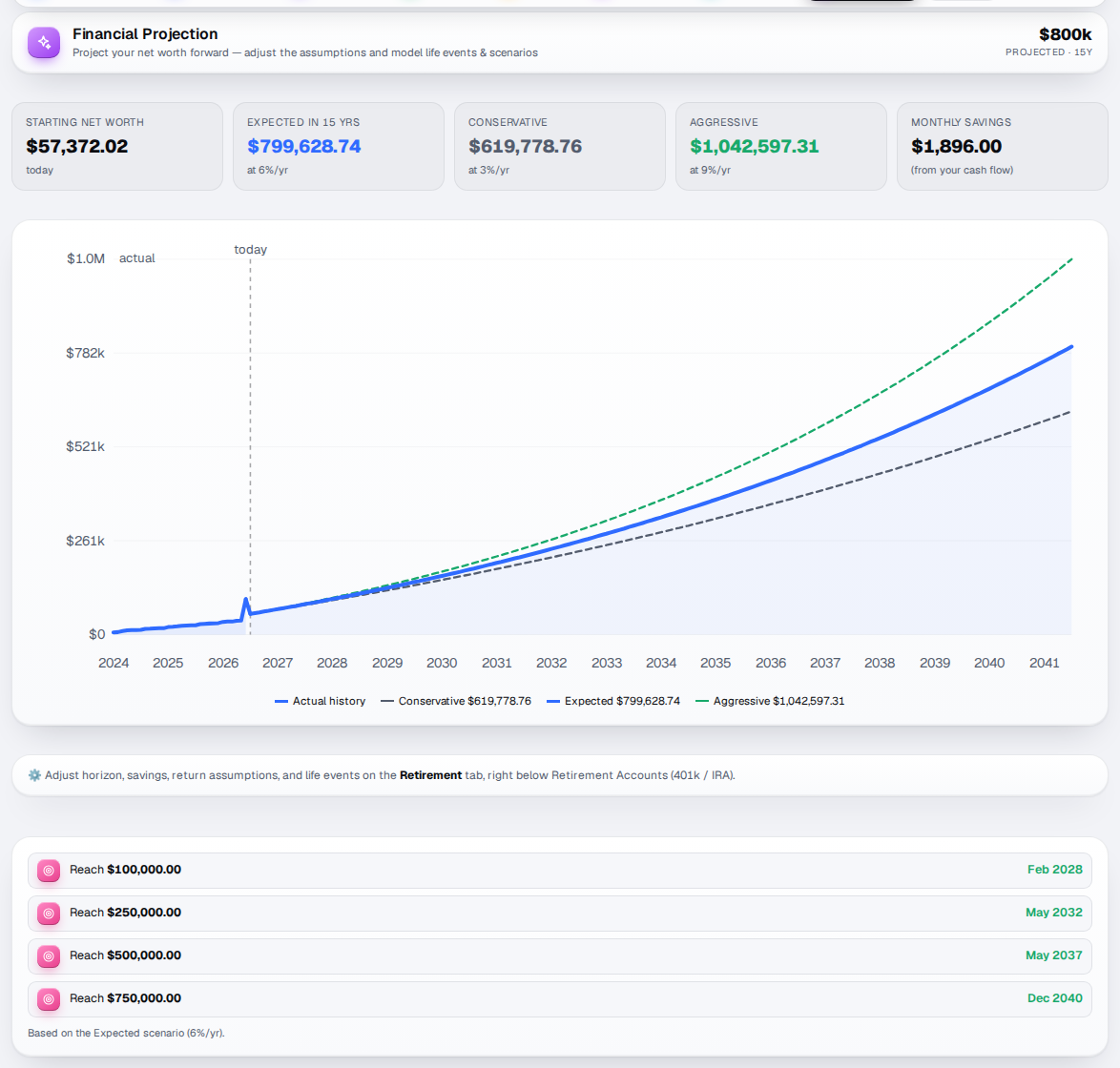
🔮 Financial projection
Project your net worth forward under conservative, expected and aggressive return scenarios, with life events and milestones.
- Milestone dates: when you'll reach $100k, $250k, $500k and beyond
- Adjustable assumptions for horizon, savings, income growth and returns
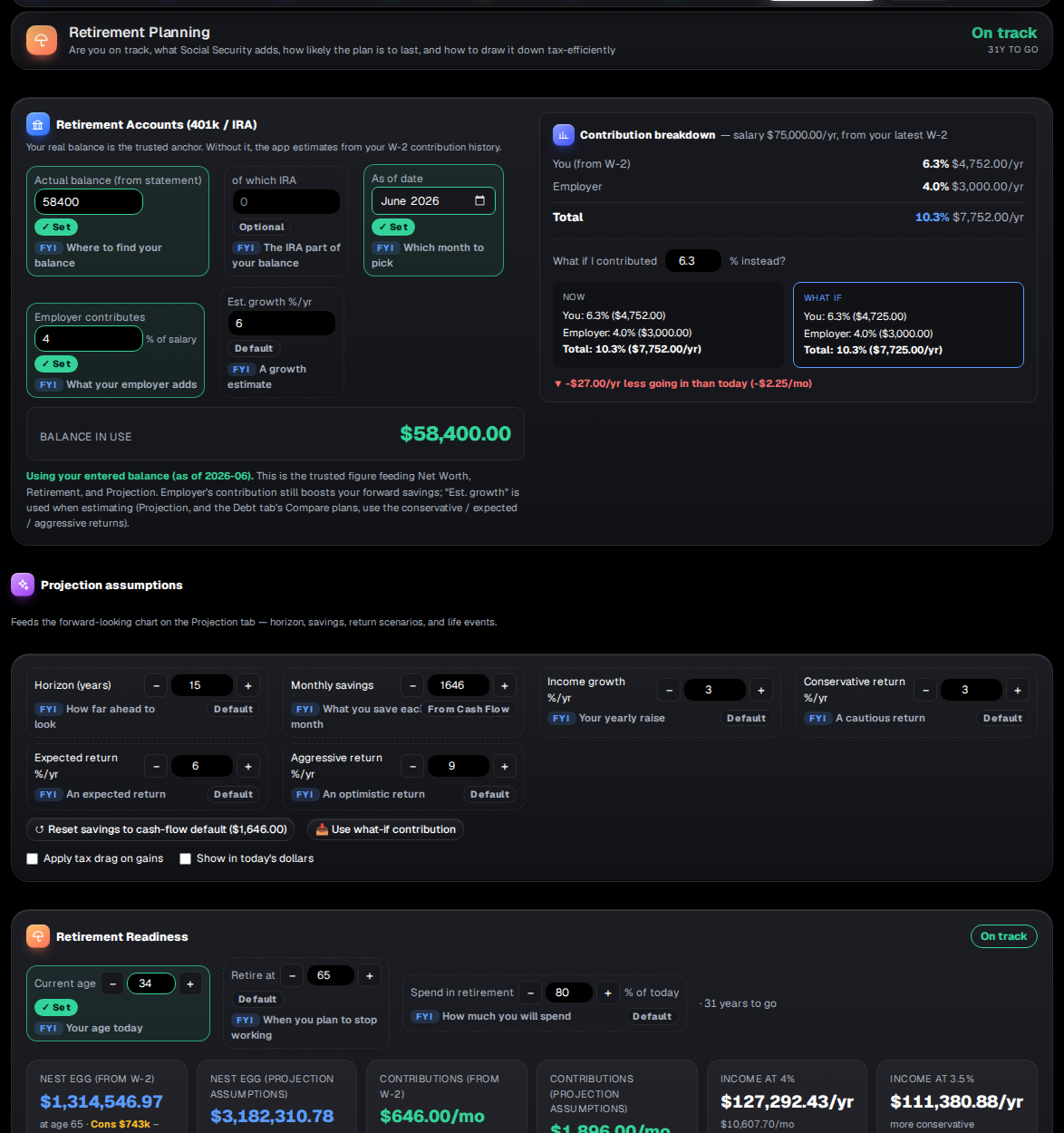
🏖️ Retirement planning
Are you on track? See your projected nest egg, retirement income and how long it will last.
- 401(k) and IRA accounts with contribution breakdowns
- Social Security estimate
- Withdrawal strategy, RMDs and Roth conversion window
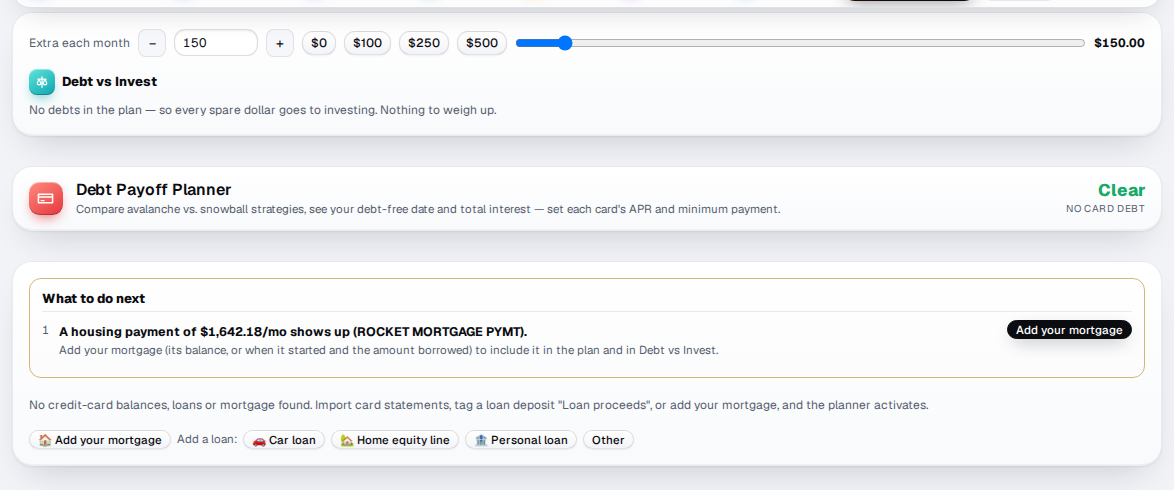
💳 Debt payoff
Compare avalanche (highest APR first), snowball (smallest balance first) and minimum-only plans, and see the effect of every extra dollar.
- Debt vs. invest comparison over 10+ years
- Mortgage & refinance calculator
Goals & funding plans
Set a target, such as an emergency fund, a house deposit or a vacation, and see when you'll reach it at your current saving pace.
Scenario planner
Model life events and “what if” changes and see how each one shifts your long-term projection.
💰 Taxes & net worth
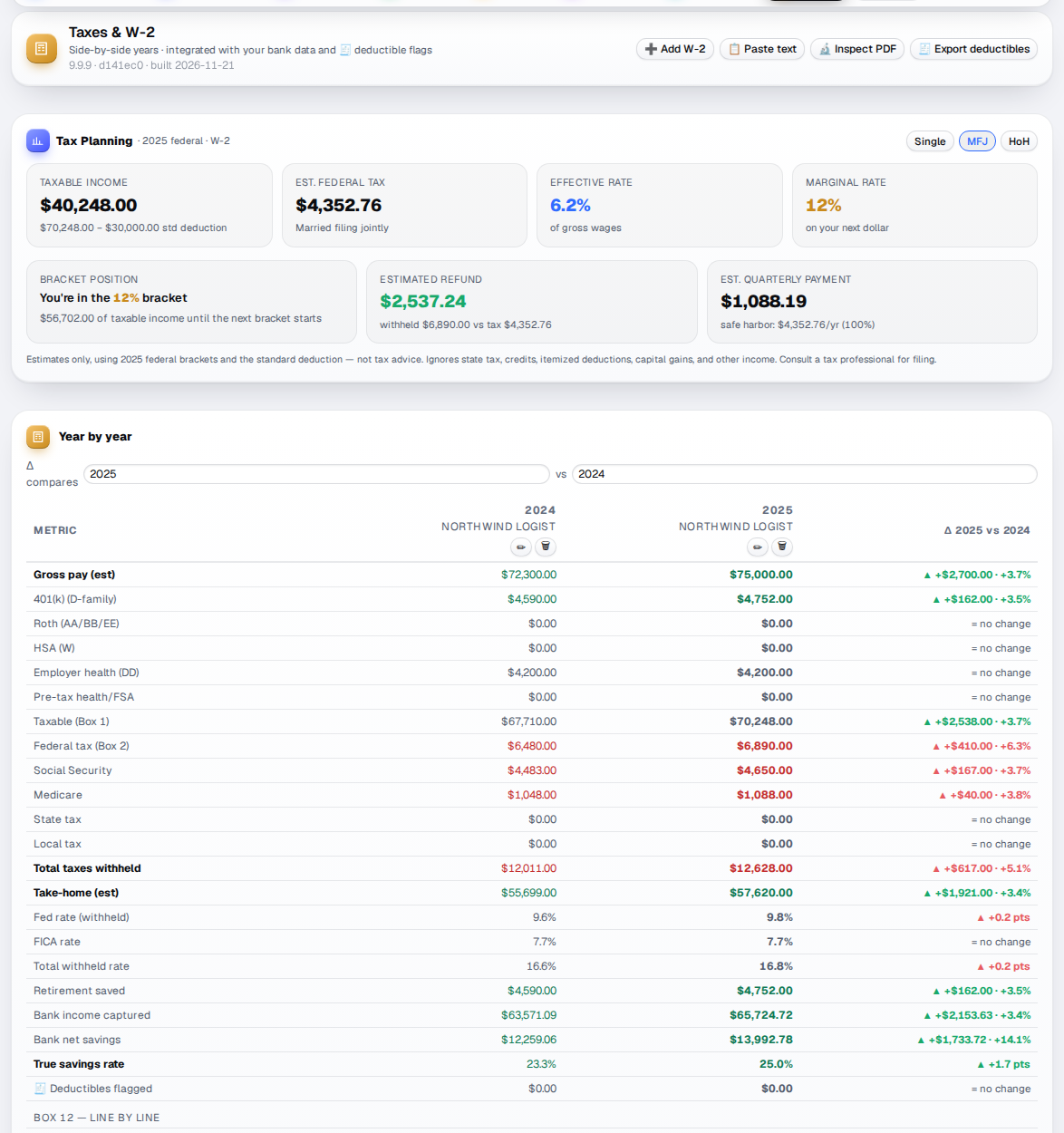
💼 Taxes & W-2
Import your W-2s to see taxable income, effective and marginal rates, your bracket, and an estimated refund, year by year.
- Multi-year table of wages, withholding and deductions
- Quarterly estimate helper
💰 Net worth
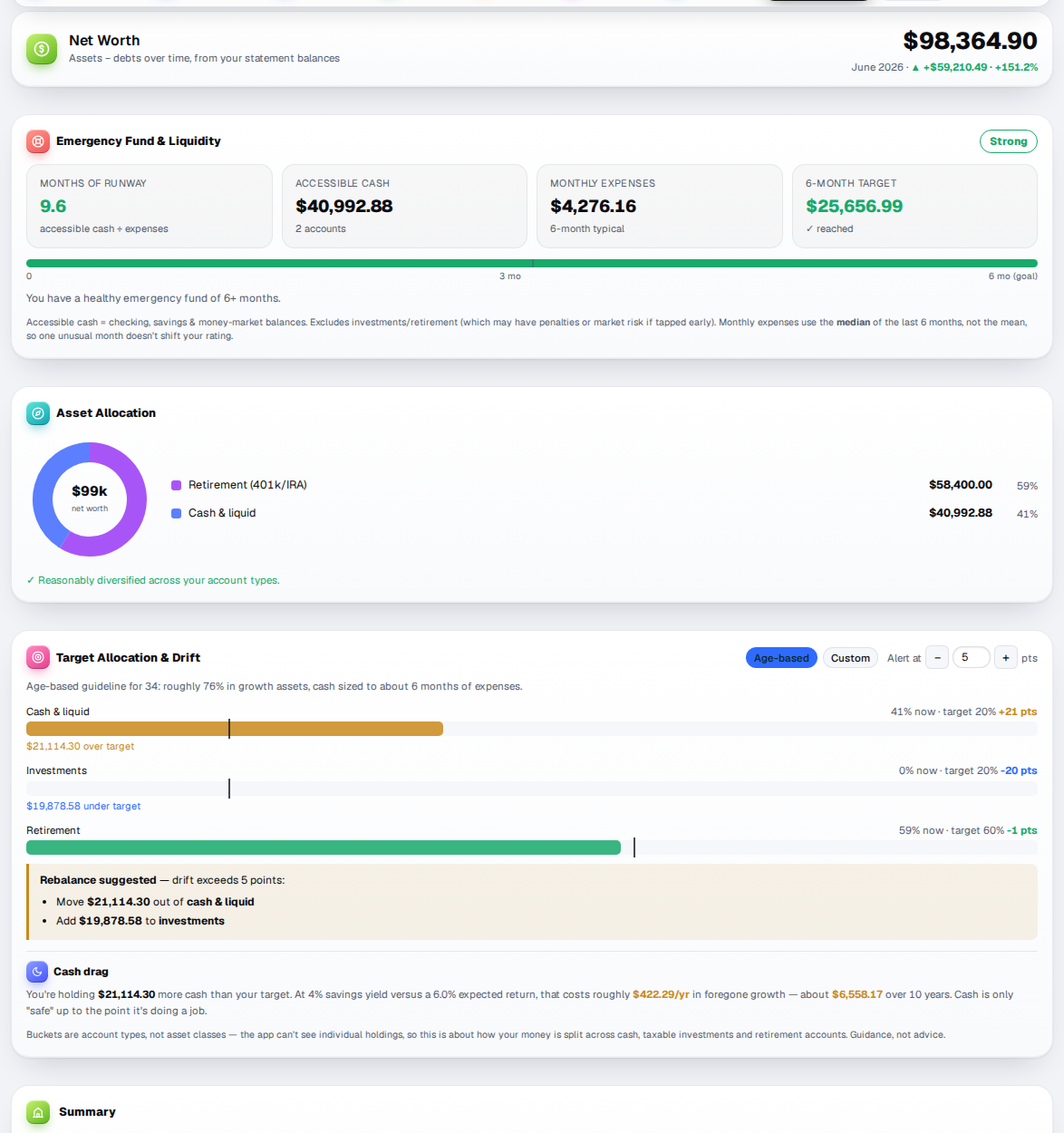
Your net worth, how it's changed over time, and how your money is allocated.
- Emergency fund and liquidity health
- Asset allocation donut and target-allocation drift
- Rebalancing suggestions and a cash-drag check
⚙️ Privacy & control
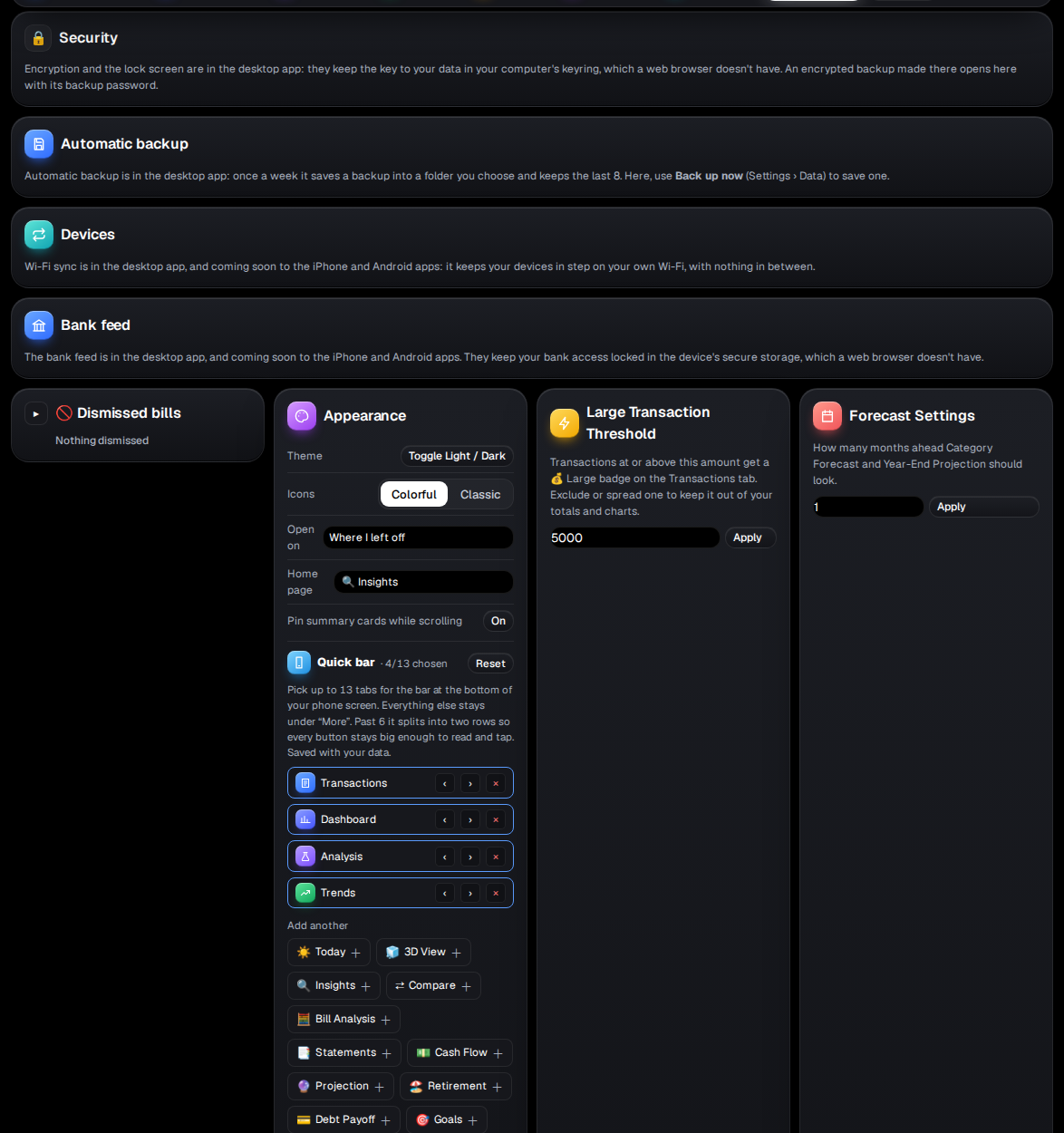
⚙️ Settings, backup & export
Your data stays on your device, and you decide where it goes.
- One-click JSON backup and restore or merge
- Export to CSV, Excel or PDF reports
- Custom categories & rules, statement layouts, appearance and font size
- Customizable quick navigation bar
100% on-device
There's no server, no account and no bank login. Nothing is uploaded, ever.
Works offline
Once installed, the app runs without an internet connection.
Light & dark mode
A comfortable theme day or night, with adjustable text size.
Ready to see your money clearly?
Every feature is included. There are no upgrades to buy and no subscription.
Get Budget Analyzer Pro