 Budget Analyzer Pro
Bank, phone and computer, with no cloud in between
Most budgeting apps want two things: your bank password, and a copy of all your money on their servers. Budget Analyzer Pro does neither. Your transactions can still arrive every day, and your phone and your computer can still show the same numbers. Here is how that works.
Transactions every day, without giving us your bank login
The bank feed works through SimpleFIN Bridge, a separate service you sign up for yourself. You sign in to your banks on SimpleFIN's site, never inside Budget Analyzer Pro. SimpleFIN gives the app a read-only access key, and that key is all the app ever holds.
The bank feed is in the desktop app for Windows and Linux today, and it's coming soon to the iPhone and Android apps. Each keeps the key locked in the device's own secure storage. The web version doesn't have the bank feed, because a web browser has no secure storage to keep the key in.
Setting it up takes four steps, and the app walks you through them:
- Get SimpleFIN Bridge. It costs $15 a year or $1.50 a month, plus tax, paid to SimpleFIN.
- Connect your banks on SimpleFIN's site, once per bank.
- Make a setup token there and paste it into the app.
- Check your accounts. The first fetch brings in about the last three months.
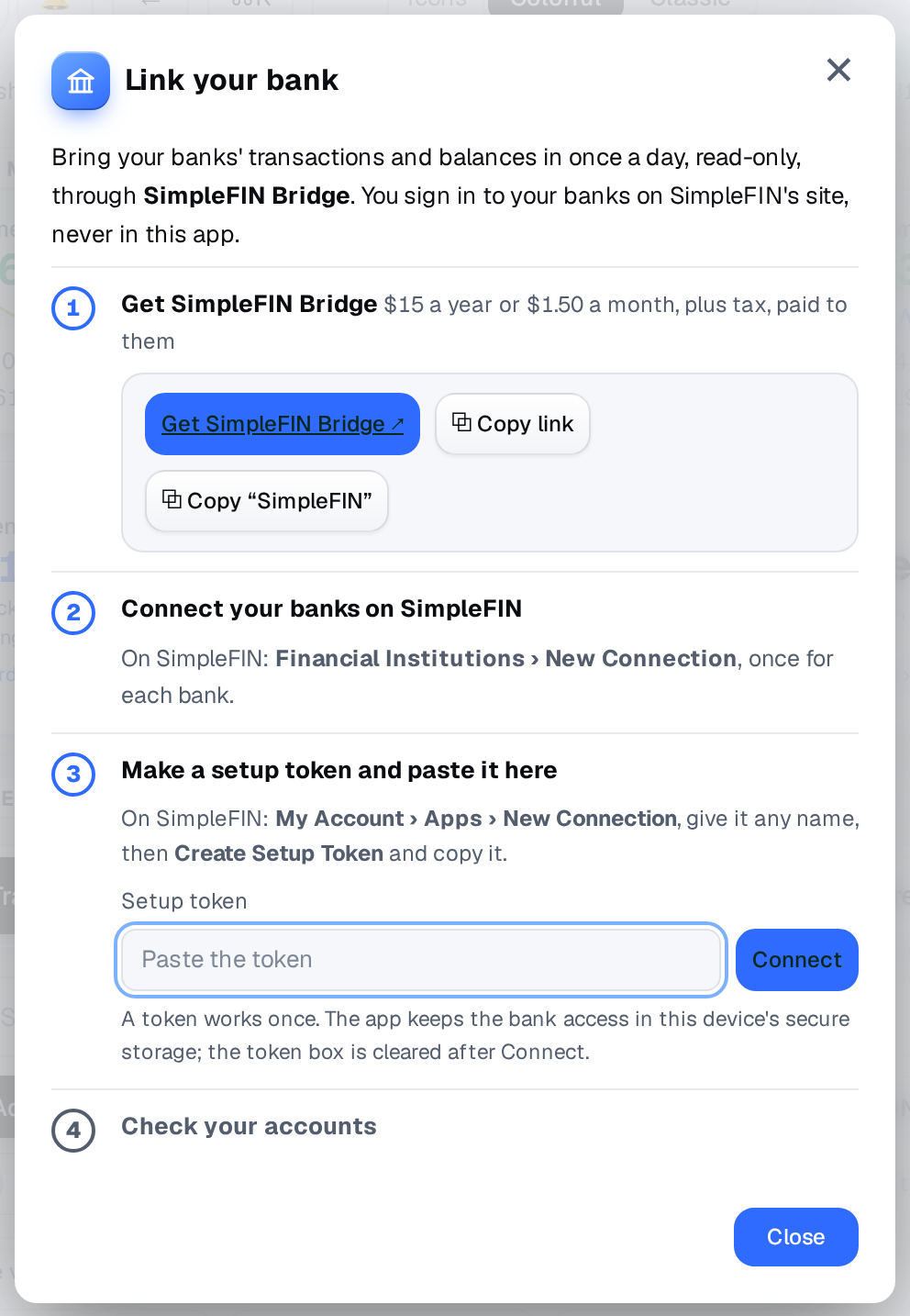
After that, about once a day (or when you tap Fetch now), the app asks SimpleFIN for your balances and recent transactions. What comes back is saved on your device like an imported statement. Transactions you already have are skipped, so nothing is counted twice.
Your phone and your computer, in step over your own Wi-Fi
Wi-Fi sync keeps your devices showing the same numbers. Your data goes straight from one device to the other on your home network, encrypted the whole way. It never passes through a server, ours or anyone else's. It's in the desktop app today, and coming soon to the iPhone and Android apps.
You pair two devices once. On the computer, open Settings › Devices › Pair a new device. The app shows a QR code and a six-digit code. On the phone, open the same place, tap Join devices and scan the code. The encryption keys are made right then, from that pairing, and never leave the two devices.
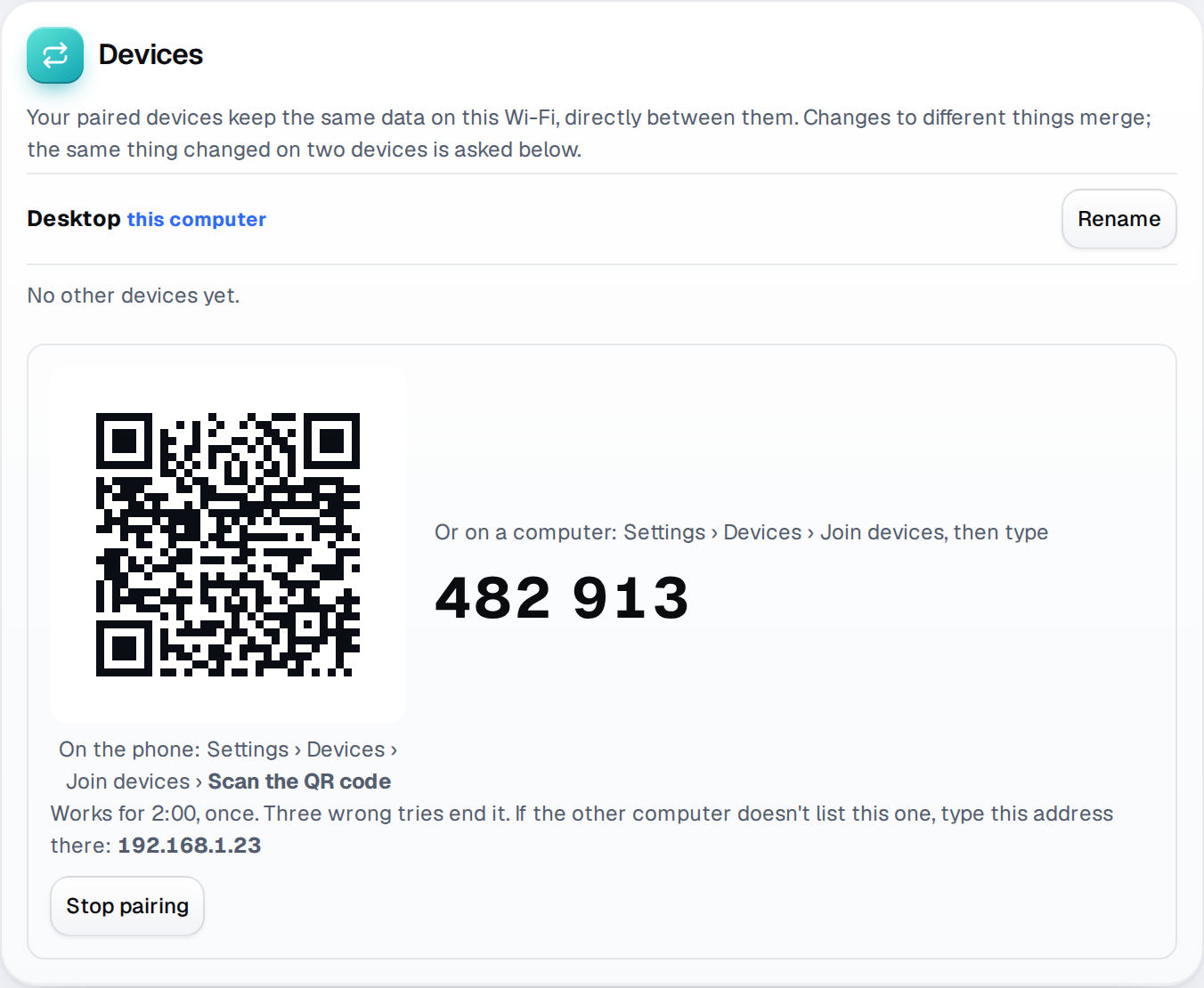
With your devices paired, the bank feed runs on one of them, and its transactions reach the others through Wi-Fi sync. You choose which one; the others say where it runs.
Coming soon: the iPhone and Android apps
The iPhone and Android apps are the same Budget Analyzer Pro, laid out for your thumb, with the bank feed and Wi-Fi sync built in. Your data on the phone is always encrypted, and the phone's own Face ID, fingerprint or passcode opens it. Here is how they will look.
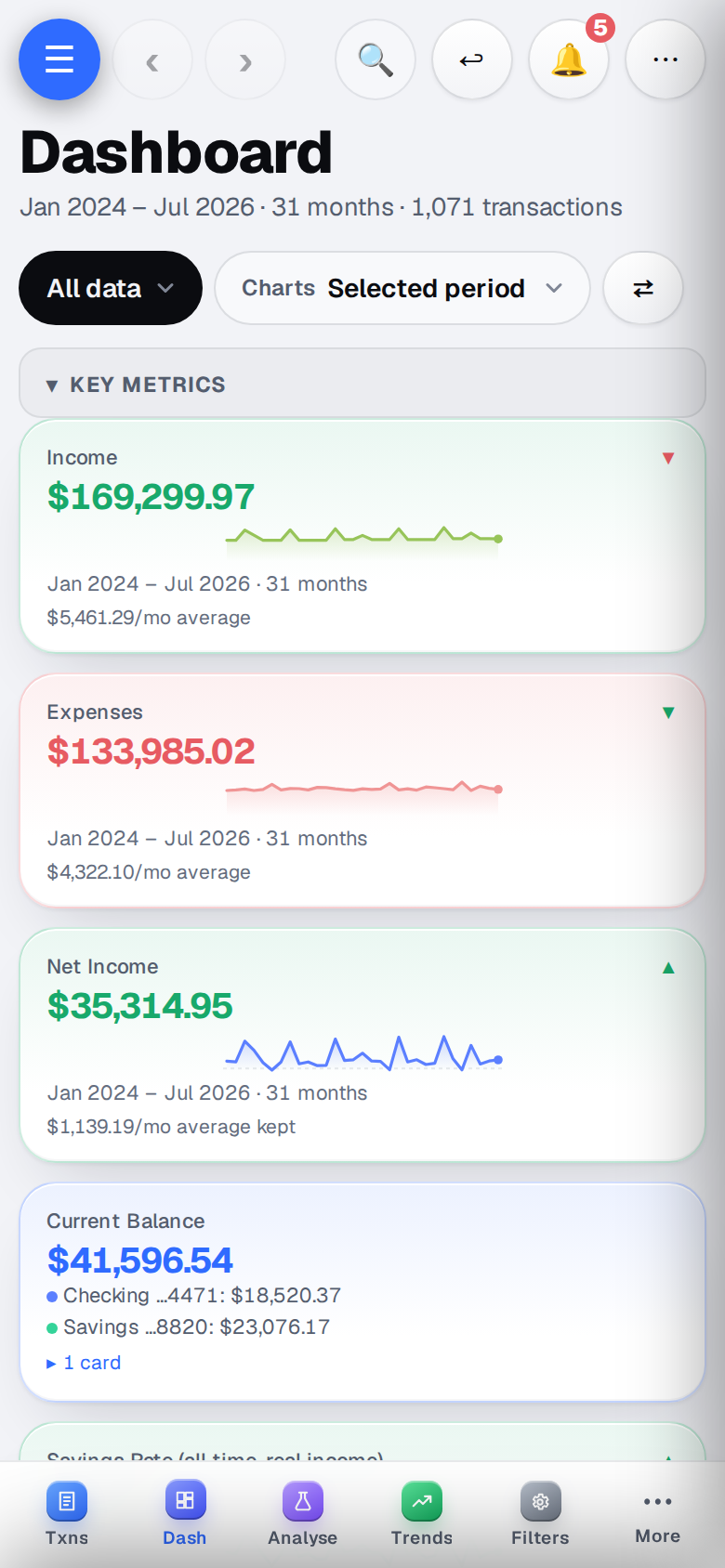
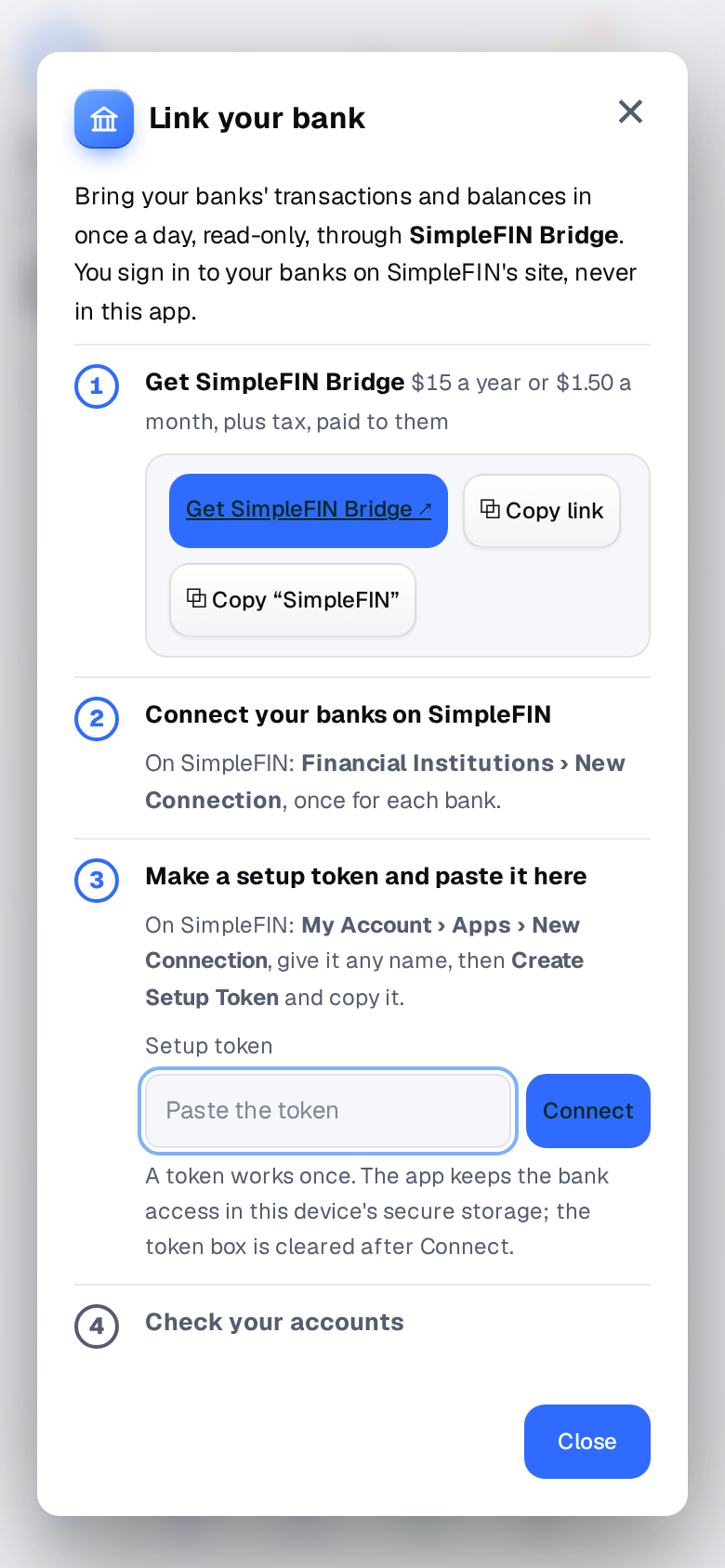
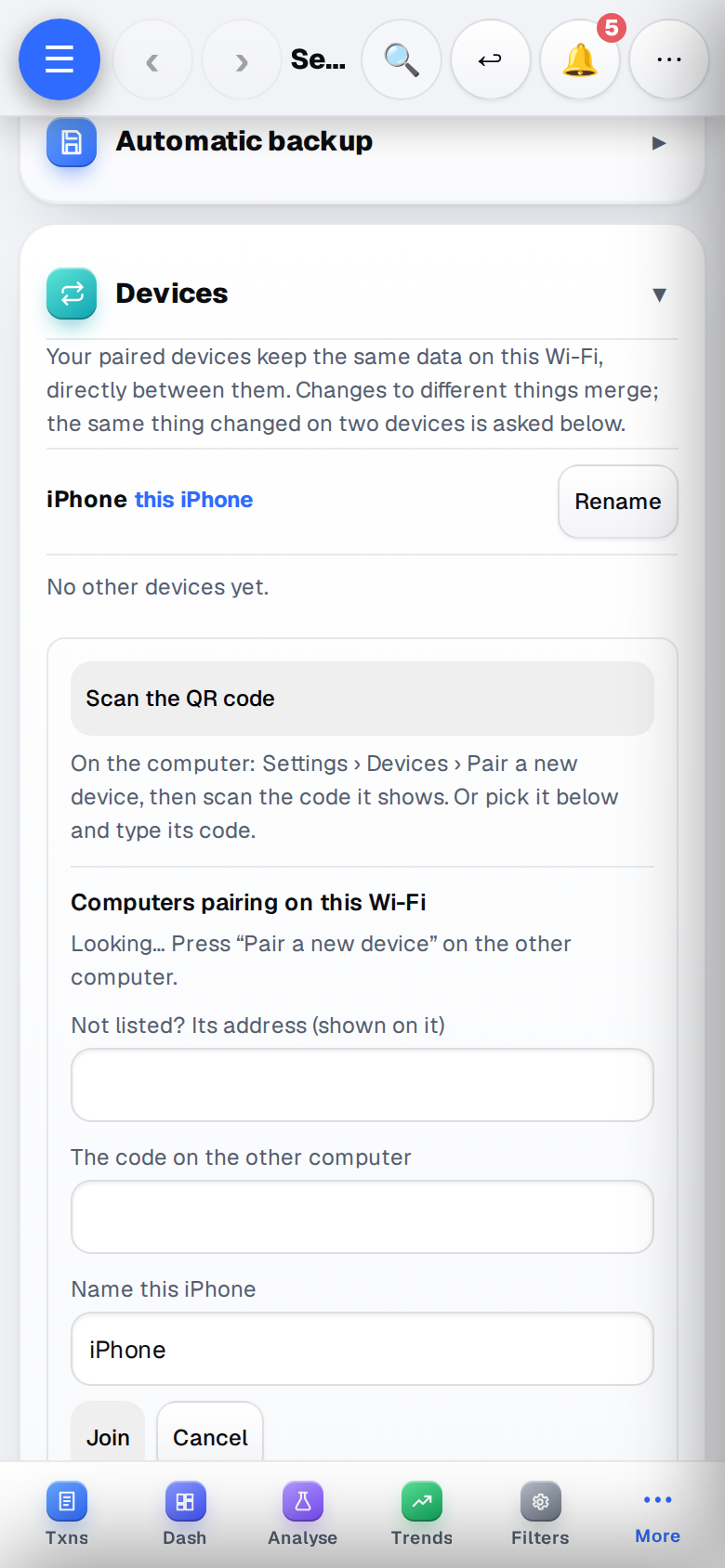
The Dashboard, the Link your bank window, and Settings › Devices, where the phone joins your computer. Pictures from the app at phone size; small details may change before the apps are released.
What leaves your device, and what doesn't
- Your statements, transactions and balances stay on your devices. There is no account to sign up for.
- The bank feed talks to SimpleFIN only, and only if you turn it on.
- Wi-Fi sync talks only to the devices you paired.
- There are no analytics, no tracking and no automatic crash reports. A problem report is sent only when you choose to send one.